Portfolio Websites · Published · Updated · 5 min read
Free Portfolio Website Examples: 3 Concepts and 9 Layouts
Start with explicitly free portfolio material, then choose a layout that makes your projects and contribution easy to understand.
Published by Amanjot Singh, founder of Scrollhaus. AI-assisted editorial work; product context, sources and corrections are documented in our editorial methodology.
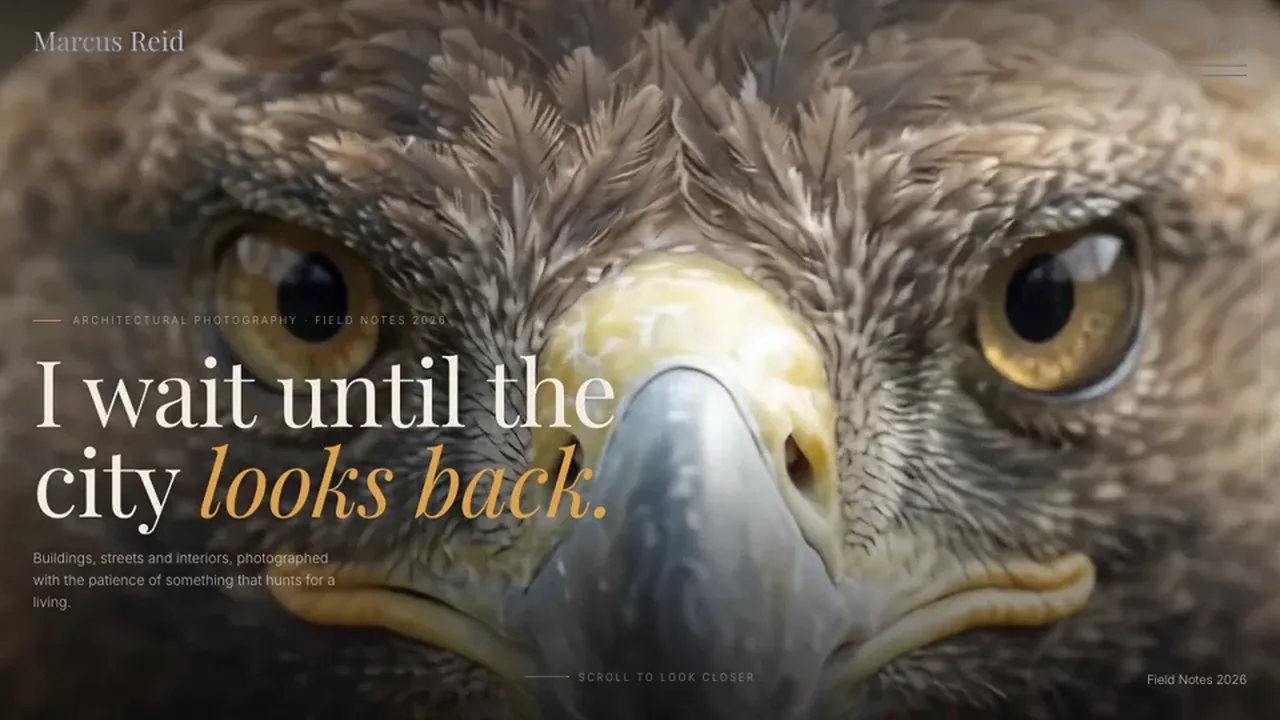
Quick answer: NOOR, Mirage and Rune are three Scrollhaus portfolio concepts marked free to build at this review. Open one, select your builder and copy its written instructions. A free design starting point still needs your own projects, licensed imagery and a tested contact route.
Scope checked October 30, 2026: these are fictional template concepts, not examples of customer results. The nine layouts below are adaptation ideas, not nine separate downloadable templates. A free Scrollhaus prompt does not include hosting, a domain or credits for an AI builder.
Three free portfolio website examples to start with
| Example | Direction | Good first adaptation | What is free here |
|---|---|---|---|
| NOOR | Expressive personal introduction | Replace the identity, add selected projects and a clear contact link. | Selected website build instructions |
| Mirage | Cinematic studio sequence | Map the scene order to your work and preserve a direct project index. | Selected website build instructions |
| Rune | 3D creator portfolio hero | Replace demo identity and connect the hero to your strongest work. | Selected website build instructions |
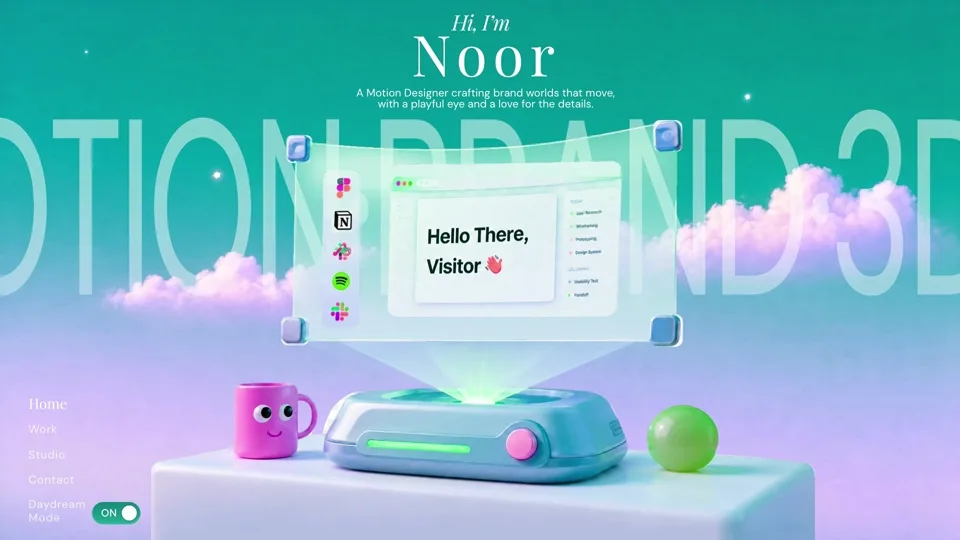
The portfolio examples guide compares these with premium concepts and explains the design choices. Check the current free collection for the selected entry’s access and the licence terms before using or redistributing any media.
Nine portfolio layouts you can build from a free starting point
1. A focused project grid
Show several projects at equal weight, with visible titles, your role and a clear link. Feature the strongest work without making every thumbnail compete for attention.
2. An editorial work list
Lead with project names and short descriptions. An optional image preview can add character, but the titles and destinations must work without hover.
3. A one-project case study
Use one substantial project when you can explain its problem, constraints, decisions and finished work clearly. Label student and personal projects honestly.
4. A split-screen presentation
Pair an index with a larger visual. On a phone, place each title beside its image in a normal reading order instead of shrinking two desktop columns.
5. A small studio index
State the service focus, show selected work and make enquiry easy. Group by capability only when it helps a visitor find a relevant project.
6. A developer showcase
Link working demos and approved repositories. Explain your implementation role and important trade-offs; the demonstration should remain usable when motion is reduced.
7. An image-led archive
Use a deliberate sequence of photographs or artwork with useful captions. Keep authorship clear and obtain the rights for everything you publish.
8. A process-led portfolio
Connect research, sketches and prototypes to the final decisions. Include supported outcomes where available and avoid turning confidential work into public proof.
9. A services-led portfolio
Combine selected work with what a client can hire you for, your process and a direct next step. Test the enquiry route on the deployed website.
How to create a free portfolio website
- Choose your material. Select work you can publish and explain your role in each project.
- Pick a layout. Choose the pattern that makes that evidence easiest to understand.
- Open one free entry. Select Lovable, Replit or another supported builder and copy its sequenced build prompt.
- Adapt in stages. Add the real introduction and work index first, then review before adding detailed case studies.
- Connect the essentials. Replace demonstration buttons and forms with your real contact route.
- Deploy and test. Verify phone layout, keyboard access, media loading, reduced motion and contact submission on the public URL.
Use the website design prompt examples when writing follow-up instructions. Keep the original project’s routes and integrations unless you deliberately replace them.
Free template, free builder and free hosting are different
| Part of the workflow | What to confirm |
|---|---|
| Design material | Whether the selected template or prompt is free, and what rights apply. |
| AI builder | Generation credits, export options and any paid features you use. |
| Hosting | Deployment limits, forms, bandwidth and whether your project needs a server. |
| Domain | Registration and renewal costs if you want a custom address. |
| Images and fonts | Your own rights or the individual asset licence; access to a preview is not a redistribution licence. |
You can choose hosting independently of the reference. For a static project, read GitHub Pages documentation and check whether its capabilities fit your generated output. A project requiring server-side authentication, private data or payments needs appropriate backend services and testing.
Before you share your portfolio
- Remove demonstration names, clients, metrics and testimonials.
- Keep project titles, roles and contact links visible without hover.
- Test the smallest phone layout you support and long project titles.
- Keep a static alternative for nonessential motion.
- Submit the contact form or follow the email link yourself.
- Check your sitemap, page title and index directives after publishing.
For a larger presentation, compare the six portfolio concepts and case-study structure. For motion implementation, use the performance checklist.
Review method
We checked the three entries’ free catalogue flags and current written build prompts. The layout ideas are editorial suggestions for adapting your own work. We have not measured hiring, enquiries or sales from these concepts and do not rank them by an invented success metric.
Frequently asked questions
Are these three portfolio website examples free?
NOOR, Mirage and Rune are marked free to build in Scrollhaus at this review. Their written build instructions are the starting point; check the selected entry and asset rights before publishing.
Are there nine downloadable portfolio templates here?
No. The guide identifies three free concepts and nine layout ideas for adapting your own portfolio. The layout count is not a download count.
Does a free portfolio template include free hosting?
No. Template access, AI-builder credits, hosting and domain registration are separate. Check the chosen services and your generated project’s requirements.
Can I use a free template for professional work?
Use it within the applicable licence, replace demonstration content and obtain rights to your media. Test the result and contact route before presenting it to clients or employers.
Explore animated website templates at Scrollhaus →
Need help with a template, account, or project? Email admin@scrollhaus.ai.