Website Design Guides · Published · 5 min read
How to Hand Off an AI Website Template With Its Source and Media
Start with a free reference, open the runnable baseline and package the files a second builder needs. This workflow helps you keep an animated page usable when you change editors, hosts or brand assets.
Published by Amanjot Singh, founder of Scrollhaus. AI-assisted editorial work; product context, sources and corrections are documented in our editorial methodology.
Key takeaways
- Save a runnable baseline and the exact instructions for the build.
- Inventory the poster, clip, fonts and fallback before the handoff.
- Open the project on a second origin before changing its content.
What files should you hand off?
For a standalone page, provide the HTML and its CSS, JavaScript and media dependencies. For a framework project, also include its package manifest, lockfile where applicable, run instructions and an environment variable example with empty values. Add the original prompt, a record of asset sources and a screenshot or live reference. A hosted preview is useful during review, while an editable baseline lets the next person make changes with a known starting point.
Try the handoff with a free animated hero
- Open the LOOPLINE live hero. Check the initial layout and how the reel looks while it moves. Save a desktop and mobile reference.
- Read the LOOPLINE build instructions and its asset map. Record the media roles and URLs. The file that fills the first screen may be different from the catalogue preview clip.
- Open the original HTML source. Save a copy as
index.htmland serve it over local HTTP to check the baseline. Confirm the linked resources are reachable from that separate origin. Keep a copy of the initial render before adapting it. - Ask your next editor to inspect the supplied files and explain how the animation is driven. Change one section or one media role at a time and compare it with the baseline.
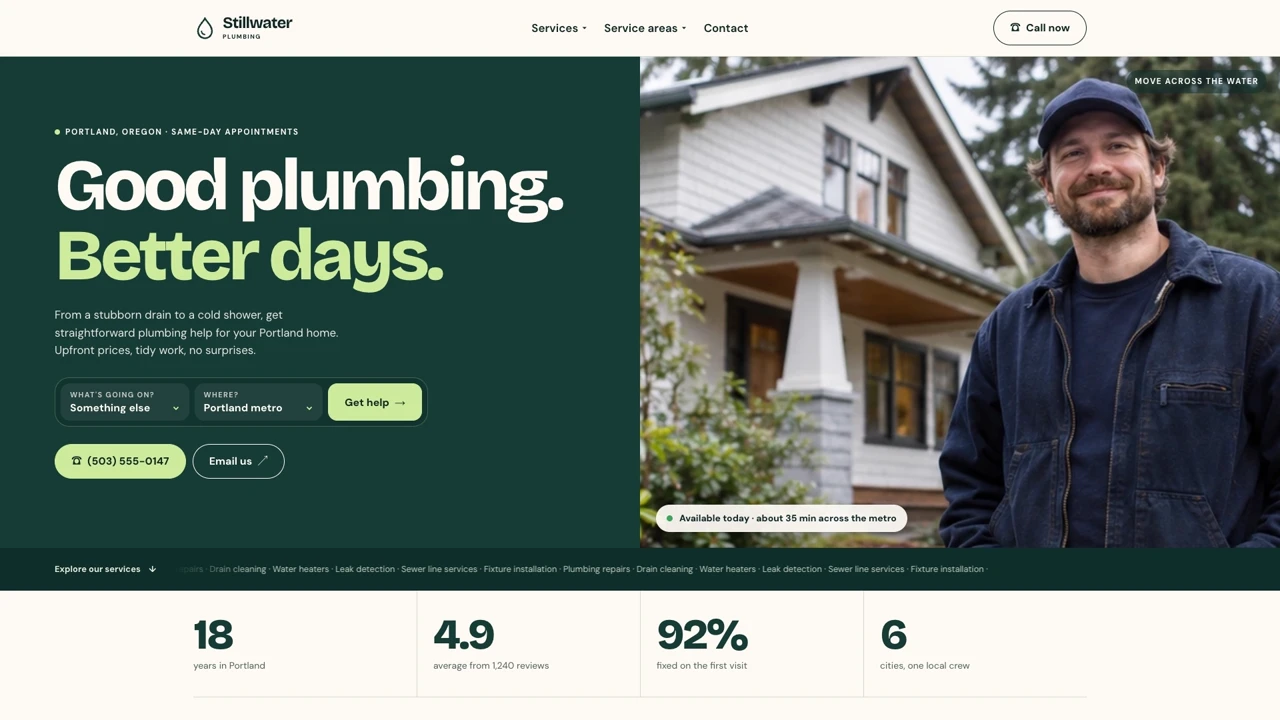
To repeat the exercise on a multi-section service page, use the free Stillwater plumbing example shown above and trace its service links as well as its motion.
Make an asset checklist a teammate can use
For each file, specify where it comes from, where the code expects it, what it looks like, and what should appear when it fails. Mark which assets you intend to replace. For a hero video, include a poster crop, mobile sizing and a useful first frame. For scroll sequences, record the naming pattern, first frame, last frame and intended scroll range. Check usage rights for any third-party fonts, footage or models before packaging them for a client.
Copy this handoff prompt
Open and run the source I supplied before making edits.
List the files and media URLs that control the first screen and motion.
Keep its existing layout, animation logic and reduced-motion behavior.
Replace only the brand copy and media roles listed in my brief.
If an asset is missing, tell me its filename and purpose.
Preserve a readable poster or still fallback while I supply the asset.
Show the result at desktop and mobile widths, check it on a fresh
origin, and list each changed file and any build or hosting dependency.
Verify the project outside the builder
Open an incognito window and visit a preview on the new host. Check the console and network panel for missing files, HTML responses masquerading as assets and cross-origin errors. Keep text, navigation and the main action usable when media is delayed. For a form or checkout, trace it to the actual submission destination and keep customer data and deployment credentials outside the export.
Use the AI website design prompt guide to prepare the original brief, or the interactive landing page blueprint to test the main action. Check the download options on each template before choosing a project. Scrollhaus pricing explains the paid library access options.
Frequently asked questions
Can I hand off an AI website with the prompt alone?
A prompt transfers the intent. Give the next builder the runnable source, media references and a working preview when you need to preserve an existing layout or motion.
What if I want to replace the template video?
Save the current video and poster references, add your own licensed replacements, and verify the crop, first frame, playback and mobile fallback before publishing.
Browse Scrollhaus website designs and build resources →
Need help with a template, account, or project? Email admin@scrollhaus.ai.