AI Website Templates · Published · Updated · 11 min read
Website Animation Templates With Source Code: What to Check Before You Build
A website animation template is only useful when its motion, source, media and responsive behavior survive the journey from a preview into your own product. Use this checklist before you choose a direction or spend AI credits rebuilding one.
Published by Amanjot Singh, founder of Scrollhaus. AI-assisted editorial work; product context, sources and corrections are documented in our editorial methodology.
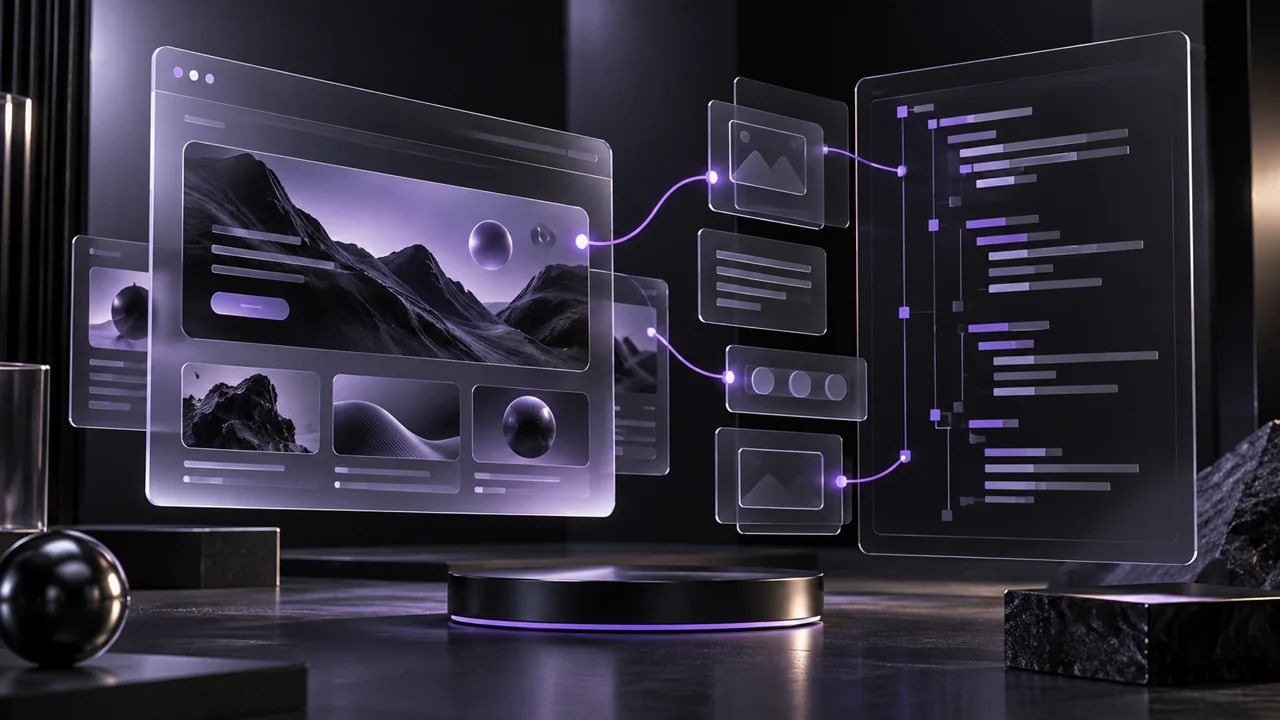
Quick answer: choose website animation templates with source code when you need more than a screenshot or a prompt. A strong starting point lets you inspect the full interaction in a live preview, understand what files and media are included, and adapt the implementation without losing the layout, motion hierarchy or responsive behavior.
ScrollHaus is built around that workflow: preview a complete animated website, choose a direction, then take source-oriented build materials into the AI coding tool you already use.
What should a website animation template include?
The word “template” can describe a prompt, a Figma file, a component pack, a static HTML page, a full application repository or a hosted builder project. These are different deliverables. Before buying or copying anything, identify the exact handoff.
| Deliverable | What it helps with | What still needs checking |
|---|---|---|
| Prompt | Fast ideation in an AI builder | The builder may reinterpret layout, motion and dependencies |
| Live preview | Judging scroll pace, composition and interaction | It does not automatically include editable code |
| Standalone source | Portable HTML, CSS, JavaScript and asset structure | Review asset licences, mobile behavior and deployment assumptions |
| Framework project | Repeatable application structure and components | Confirm dependencies, environment variables and build steps |
The best choice depends on where your project is starting. A prompt can be enough for rough exploration. A client project, studio site or conversion-focused product page usually benefits from a reference that has already solved more of the production problem.
Start with the whole page, not one effect
A great hero animation does not guarantee a coherent website. Look at the complete experience: navigation, content rhythm, section transitions, image behavior, typography, mobile layout and the point where the page asks the visitor to act. That is the difference between copying a visual trick and adopting a usable direction.
Use a live preview to answer practical questions before implementation: Can the visitor read while the background moves? Does the motion become quieter on a small screen? Do cards, modals and menus still work with keyboard navigation? Does the final call to action arrive after enough proof?
Six checks before you choose a template
1. Confirm the source is real and usable
Look for the actual files, not only a demo video. Confirm whether you receive HTML, CSS, JavaScript, framework components, media assets and build instructions. If the template depends on a hosted service, identify what happens when the subscription ends.
2. Check the media rights
Replace preview imagery, music, model assets and logos unless the licence explicitly grants you the right to use them. Template permission does not automatically transfer rights to every photograph or video shown in a showcase.
3. Test the motion at normal speed
Open the live page and scroll normally. Motion should feel continuous, not tied to unstable video seeking or aggressive mouse effects. Check that transitions preserve reading time and do not compete with the primary call to action.
4. Review mobile and reduced motion
Resize the page and test a real phone. A responsive template needs more than smaller text: navigation, dense card grids, pinned visual sections and background media all need deliberate mobile behavior. A reduced-motion preference should leave the information and actions available.
5. Measure the production weight
Compressed media, reserved dimensions, lazy loading below the fold and a stable first viewport matter. Animation should not cause layout shift or a long delay before people can interact. The ScrollHaus performance guide covers the tests to run before launch.
6. Plan the brand transformation
Use the template as a direction, not as a finished identity. Replace the logo, content, imagery, colors, proof points and interaction details. The finished page should make sense for your audience and product, rather than looking like a copied demo.
Using templates with Lovable, Bolt and Claude Code
AI coding tools work better when you give them a concrete starting structure. Attach the source or explain the section order, token system, interaction rules and responsive constraints. Ask the tool to implement one section, review it in the browser, then continue. This reduces the risk that small incorrect assumptions spread through an entire generated site.
For a portable ScrollHaus build, preserve the original assets and file structure until the visual result is verified. Then make brand changes deliberately, test the final production build and keep the code in a repository you control.
Free versus premium animation templates
Free examples are useful for validating a workflow. Rebuild one on your real stack, test its media, inspect the output on mobile and measure how much time it takes to customize. Premium access can be worthwhile when it provides more complete directions, source materials and support, but it should not replace technical review.
ScrollHaus marks selected entries as free so builders can test the path from preview to implementation before choosing broader library access.
Frequently asked questions
Do website animation templates include source code?
Some do and some only provide prompts or previews. Always check the exact deliverable, licence and category before purchase.
Can I use an animation template for a client project?
Often yes, if the licence allows client work and you replace third-party demo assets appropriately. Verify the template terms and every included asset before delivery.
Are templates bad for originality?
No. A good template is a starting system. Originality comes from how you transform the brand, content, visual choices and product story for a real audience.
What is better: a prompt or source code?
A prompt is flexible for exploration. Source code is more exact when you need the final implementation to remain close to the reference. Many teams benefit from using both: preview first, source second, AI assistance for adaptation.
Methodology
This guide is a focused Nuwtonic topic-map priority for “website animation templates,” “animated website templates free” and source-oriented production workflow queries. It complements the template library comparison, client-project checklist and starting-point workflow guide without duplicating them. Technical recommendations are grounded in browser testing, accessibility requirements and production handoff practice.
From a copied template to a working website: a concrete handoff
Start by identifying which files are included. For a standalone page, expect an HTML document with its styles and JavaScript, or clear links to those files. For a React project, expect a package manifest, source tree and build instructions. An HTML preview is not a replacement for a missing application project.
In Scrollhaus, the About page reports the current export audit. Exact-copy entries have source that matches the published page; full-project entries require their project setup. The count is generated from the catalogue rather than held in an old marketing claim.
Try this acceptance brief in your AI builder
Use the supplied source as the reference implementation.
List required files, dependencies and public media URLs before editing.
Preserve the original scroll timing, then change the brand and approved copy.
Test forward and backward scrolling, keyboard use and reduced motion.
Check 1440x900 and 390x844 layouts for overlap and sideways overflow.
Report any missing asset or integration. Do not replace it with invented functionality.
Deliver the build command and deployment configuration.
Save the original template before changing it. First prove that it runs in the target environment. Then edit copy, colours, font and media in separate passes. If the result changes unexpectedly, this gives you a smaller change to inspect instead of an entirely new website to debug.
Separate source portability from asset ownership
A public media URL makes an asset reachable; it does not establish your right to reuse it. Check the template licence, media terms and any service dependencies. If your project needs independent hosting, copy only assets you are entitled to use and update their URLs. Never put private API keys in the browser source.
Verify the published result, not just the build log
A successful build is one check. Open the deployed page, verify that media requests succeed, and inspect every scroll chapter. Test the actual navigation, forms and purchase actions. A fictional showcase form may intentionally send nothing; replace it with a real integration before promising enquiries or purchases.
For a practical product example, read five animated ecommerce website examples. For the animation mechanism itself, use the canvas image-sequence guide.
Types of website templates with source code
“Source code” means different things in different libraries. Before you download web templates, free and premium, check which kind you are getting.
- Free HTML templates. A static HTML template built with HTML5 and CSS, often on Bootstrap. Collections of free HTML templates are easy to customize in any code editor and host anywhere.
- Open source projects on GitHub. You can read the clean code and its history. Check the licence before using it in development projects.
- Page templates for a system. A page template for a CMS or framework uses template tags and blocks, so it only works inside that system.
- Website builder templates. Pre-designed layouts inside a website builder. You get customization options, but not portable files.
- Animated source for AI builders. A landing page template with motion already working, delivered as files an AI tool can adapt.
Best practices when you customize
Good web design survives customization. Keep responsive design intact when you change the layout, follow the template's design standards for spacing and type, and replace placeholder text before creating a landing page from it. Whether you create websites for clients, an online store or your own online presence, modern designs still need accessible markup and tested forms. For website development at any scale, using HTML and CSS you understand is safer than a custom page you cannot maintain.
Where people look for free source
Searches for websites for free usually lead to the same places: open collections of CSS templates and free landing page templates, sites such as Colorlib, builders like Mobirise, and GitHub repositories. These are fine for learning HTML design and for simple pages. Check three things before you use one: that the template is easy to customize without editing minified files, that dynamic content such as forms actually works, and that the licence allows commercial use. Templates with unlimited access behind a subscription follow different rules from free downloads, so read the terms for each.
Plan your access and project rights
Compare what each Scrollhaus plan includes, then check source and media permissions for client work. For the complete visual workflow, read the cinematic website template buying guide.
Try a free website before choosing paid access
Start with KESTREL for a technology landing page, Mesa Alta for a travel story or Mirage for a portfolio. These entries are marked free in the Scrollhaus catalogue. Open the build view, inspect the full-page preview and read the available source format before copying anything. Free previews and free source access are different: selected builds are free to build, while premium entries require the appropriate access.
A first-project test you can repeat
- Open one example at desktop and phone widths. Scroll forward and backward, then try its main action.
- Read the build instructions. Confirm whether the entry offers portable HTML or requires a full project; keep hosted asset and runtime URLs intact.
- Ask your AI coding tool to adapt only the brand, copy and calls to action first. Compare the resulting page with the original preview before adding new effects.
- Replace demonstration forms, checkout and booking actions with working integrations. Check keyboard access, reduced motion, readable content and loading behavior.
- Publish to your own hosting and repeat those checks on the deployed URL. Builder credits and hosting are separate from template-library access.
Explore the website collection or read the source-code checklist above and vibe coding template workflow before starting.
Record the source handoff before you change the design
Before customizing an animated template, write a short handoff record. This makes a source-code promise testable and helps the next developer reproduce the site without your AI conversation.
| Record | Example of a useful answer | What to verify |
|---|---|---|
| Entry format | Portable HTML, or a project with dependencies | The supplied format matches your intended hosting |
| Runtime and media | Which scripts, fonts and film assets load externally | URLs work outside the original folder and permissions cover your deployment |
| Editable controls | Brand tokens, copy, section order and animation timings | A real edit preserves mobile layout and reverse scrolling |
| Production services | Form delivery, checkout and analytics ownership | Demo controls are replaced with your actual integrations |
Keep a working copy of the original before asking an assistant to change it. If an entry supplies a complete project, retain its dependency manifest and setup instructions; a screenshot or a single copied component is not an equivalent export. For tool compatibility, use the AI-builder template selection checklist. For client delivery, follow the agency handoff and approval workflow.
Want to test the workflow before choosing paid access? Compare the free animated website templates with source code, including their actual HTML or project handoffs.
Apply the handoff to a real project
For a software launch, use the SaaS landing page template checklist to connect the visual handoff to actual signup and demo behavior. When replacing an existing website, use the AI redesign workflow to preserve its routes, enquiries and measurement.
Frequently asked questions
Can I use an animation template for client work?
Often yes if the licence allows it, but you must verify the template terms and replace third-party demo media when necessary.
Explore animated website templates at Scrollhaus →
Need help with a template, account, or project? Email admin@scrollhaus.ai.