AI Website Guides · 2026-10-21 · 5 min read
Free Animated Website Templates With Source Code: 6 Starting Points
Choose a free whole-website direction, inspect the actual source handoff and test it outside the demo before adapting it to your business.
Published by Amanjot Singh, founder of Scrollhaus. AI-assisted editorial work; product context, sources and corrections are documented in our editorial methodology.
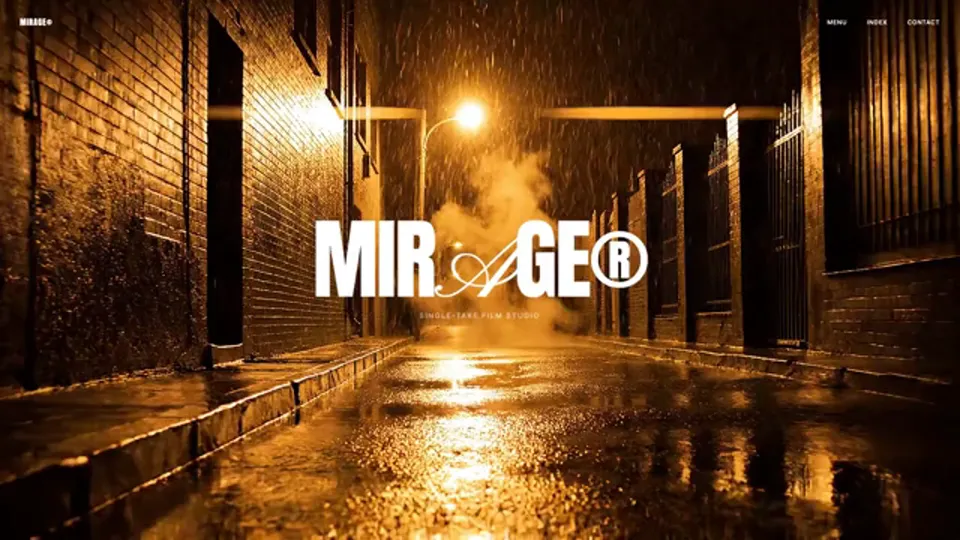
Quick answer: start with the Scrollhaus Free to build collection, open a complete preview and check the build resources for that entry. Free access to a template does not include a domain, hosting, AI-tool credits or unrestricted rights to every third-party asset.
This is a shortlist of whole-website starting points, rather than another list of animated hero sections. Scrollhaus publishes this guide and the concepts below. They are fictional design projects for adaptation, not client work or evidence of business results. Nuwtonic assisted the draft; the examples and delivery notes were checked against the Scrollhaus catalogue on 21 October 2026.
Six free animated website starting points
Choose the structure that matches your content first. Then decide how much motion the visitor actually needs.
| Concept | Starting direction | Try adapting | Handoff to check |
|---|---|---|---|
| Mirage | Portfolio | A designer's work and project narrative | Available HTML and build instructions |
| Archer | Travel | A destination or experience-led offer | Available HTML, media paths and source link |
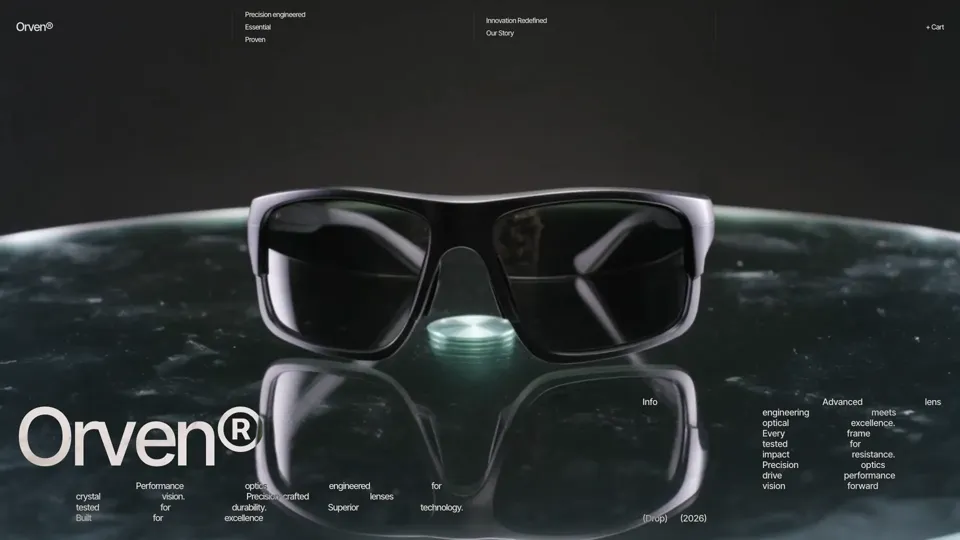
| Orven | Ecommerce | A product story and product-detail rhythm | Available HTML; checkout requires your own integration |
| Hanbit Korea | Travel | A location-led story with clear practical information | Available HTML and external asset requirements |
| Axiom R9 | Ecommerce | A focused product presentation | Available HTML; replace concept copy and business logic |
| KOI LAB | Interactive | An expressive interactive project | Editable React project archive with its own build setup |
Start with the visitor's next action
A portfolio needs a clear route from a project to a conversation. A travel page needs practical information alongside atmosphere. A product concept needs real specifications and a usable purchase or enquiry action. Templates supply a starting design; you supply accurate business content and working integrations.
What does source code include?
Read the selected entry's build panel. A portable entry can expose Copy HTML or Download HTML alongside build instructions. A full project can have a different handoff: KOI LAB supplies a React project archive. That distinction matters when deciding whether you want direct HTML editing or a Node-based development workflow.
| Delivery | Useful when | Check before choosing |
|---|---|---|
| Portable HTML | You want to inspect and adapt a page directly. | Hosted assets, runtime scripts, fonts and any third-party dependencies. |
| Framework project | You want editable components and a repeatable build. | Package versions, setup commands, asset paths and the generated production output. |
| Build prompt | You want an AI coding tool to help adapt the direction. | The source it refers to, supported handoff and whether the rebuilt result preserves the interaction. |
One HTML file can still reference hosted media and JavaScript. It is not necessarily an offline bundle. The source-code delivery guide explains how to inspect these dependencies. The public free-project repository is another source route for entries that expose it; not every free entry is mirrored there.
How to use a free animated template
- Open the free collection. Select a direction and inspect the whole live preview, not just the thumbnail.
- Check the handoff. Use the source, download or project options shown for that specific entry. Read its setup notes.
- Run it outside Scrollhaus. Serve the exported HTML locally or install and build the framework project using its documented commands. Check your browser's console and network panel for missing resources.
- Replace content before adding effects. Put your real offer, work, navigation and contact details into the layout. Remove fictional concept claims and placeholder transactions.
- Adapt one section at a time. Check the result after changing typography, spacing, media or animation. Keep a working copy you can return to.
- Test the production deployment. Verify the same routes, assets and interactions on the host you intend to use.
A focused prompt for your AI builder
Adapt the supplied source into my business website. Preserve the existing visual hierarchy and motion initially. Identify the framework, external assets and setup commands before changing code. Replace the fictional content with the information I supply. Keep the main offer and contact action in semantic HTML. Preserve keyboard access, touch scrolling and reduced-motion behaviour. List any missing production integrations and verify the build on desktop and mobile.
For a hero-only task, use animated hero section templates. For interactive pieces inside an existing page, use interactive 3D components and effects. Those are different needs from choosing a whole website.
Test motion without making the page harder to use
- Touch: the page must remain useful without a cursor. Check that scrolling reaches every section and that taps do not fight with drag controls.
- Keyboard: reach navigation, project links and contact actions with Tab. Keep a visible focus state and an accessible way to close overlays.
- Reduced motion: preserve a readable resting state when the visitor requests less animation. Essential content should not depend on watching a sequence.
- Loading: show useful content while larger visuals load. Inspect a real phone and a slower connection; a successful desktop preview is not a complete performance test.
- Forms and commerce: connect your own provider and test submission, error and confirmation states before launch.
See scroll-animation performance for implementation checks and MDN's reduced-motion reference for the browser preference.
What is free, and what still costs money?
The selected Free to build resources are available without a paid Scrollhaus library plan. That does not make your AI builder, domain, production hosting, external APIs or licensed third-party assets free. Check the Scrollhaus Template Licence and any applicable repository and asset terms for your intended use. Free availability does not grant a right to resell or redistribute someone else's template or assets.
Choose a direction you can actually maintain
Start with one free concept, insert one real project or product, and test the exported result. If the handoff, layout and motion fit your workflow, extend it. If they do not, choose a simpler direction before building around it. Explore the current Free to build collection.
Frequently asked questions
Where can I find free animated website templates with source code?
Scrollhaus has a Free to build collection. Open an entry to inspect its preview and available source or project handoff. The public free-project repository covers selected entries, not every free template.
Does free mean I can use every asset commercially?
No. Check the Template Licence and the terms for each included font, image, video, model or external resource. Availability at no charge does not imply unrestricted redistribution rights.
Can I use these templates without React?
Portable HTML entries can be adapted without converting them into React. Framework projects such as the KOI LAB archive have their own setup requirements. Check the selected entry before choosing.
Why does a downloaded template still need internet access?
An export can refer to hosted images, videos, fonts and runtime scripts. Inspect those dependencies and their permitted use before assuming the export is an offline package.
Can I build with Lovable, Bolt, Claude or Codex?
You can use the available source and instructions in your preferred AI coding workflow. Check the entry format, tool capabilities, dependencies and final output rather than assuming every project imports identically.
Explore animated website templates at Scrollhaus →
Need help with a template, account, or project? Email admin@scrollhaus.ai.