AI Website Guides · 2026-10-02 · 14 min read
Best Framer Alternative for AI Builders in 2026
Compare the best Framer alternatives for AI builders, from visual website tools to full-stack app platforms, with practical testing criteria.
Written and reviewed by Scrollhaus Editorial. Sources and methodology are documented in the article.

Key takeaways
Disclosure: ScrollHaus publishes this guide. ScrollHaus is a library of animated website templates with live previews and editable source, so it is one of the options in this space. Information about other products is based on their public websites and can change, so check the current details before you decide.

A framer alternative for ai builders should do more than produce a polished first screen. It should match the kind of thing you are building: a marketing site, a content-heavy publication, a client site, or a real application with accounts, data, and workflows. I recommend starting with that boundary, not with a list of trendy tools.
The right choice depends on what must still work after the first AI-generated version: mobile layouts, content updates, authentication, analytics, SEO, integrations, and future changes. A beautiful landing page and a functioning customer dashboard may both begin with a prompt, but they require very different systems behind the interface.
Table Of Contents
• Separate Website Builders From App Builders
• Evaluate Revision Resilience And Ownership
• Choose The Right Framer Alternative
• FAQ
• Sources
Separate Website Builders From App Builders
The most useful first question is simple: Do you need pages, or do you need a product?
A website builder is optimized for presentation. It helps you create pages, sections, CMS collections, navigation, responsive breakpoints, forms, and published content. An AI application builder goes further. It may generate interface components, data models, authentication, server logic, API calls, database connections, and deployment settings.
Those categories overlap in marketing copy. They should not overlap in your buying decision.
Use The Capability Test Before Comparing Features
I use a five-part capability test to separate visual generation from full-stack generation. Write down whether your project requires each capability before opening a trial account.
| Capability | What It Means | Usually Needed For | Why It Changes The Tool Choice |
|---|---|---|---|
| Presentation layer | Pages, typography, animations, responsive layouts | Landing pages, portfolios, campaign sites | A visual builder can be enough |
| Structured content | Blog posts, case studies, locations, team profiles | Editorial sites, agency sites, directories | CMS quality becomes central |
| User identity | Sign-up, sign-in, password reset, roles | Client portals, member areas, SaaS | Requires authentication and permissions |
| Persistent data | Records that remain after a visitor leaves | Dashboards, bookings, inventory, user profiles | Requires a database or connected backend |
| Business logic | Rules, workflows, calculations, notifications | Marketplaces, internal tools, subscription apps | Requires code or a capable application platform |
If your answer is “yes” only to the first two rows, a visual AI builder is usually the more direct path. If you need all five, choose an application-oriented platform or a code-based workflow from the start.
This is the point where many comparisons become misleading. A tool can generate a convincing dashboard screen without creating a secure data model, permission rules, or reliable backend behavior. The interface is not the application.
Hostinger’s Framer alternatives comparison reflects this wider category split: AI-powered website tools and web-app workflows serve different design, CMS, business, and application needs. That distinction is more valuable than a generic “best overall” label.
When A Visual Builder Is The Better Alternative
Choose a visual platform when the site’s main job is to communicate, convert, publish, or showcase. This includes:
• Startup landing pages that explain a product and collect leads
• Brand sites where motion, art direction, and visual pacing matter
• Agency sites with repeatable CMS content
• Portfolio sites with selected work, writing, and contact forms
• Ecommerce storefronts that fit within the platform’s native commerce model
For these projects, the quality of the editor matters as much as initial AI generation. Can you adjust spacing without breaking nearby elements? Can a marketer update a case study without calling a developer? Can you see how animation feels rather than judging it from a static screenshot?
A curated, motion-first starting point can be especially useful here. Scrollhaus, for example, provides animated references and source-ready build kits that can be continued in AI coding environments such as Lovable, Bolt, Claude, Codex, or Replit. The value is not merely a template. It is a visual direction you can inspect in motion before committing to it.
When You Need A Full-Stack AI Builder
Choose an app-oriented option when a visitor must become a user. That means the site needs identity, state, stored data, and rules.
Consider a founder building a client intake portal. The public homepage is straightforward. But the portal must let clients upload files, view project stages, receive notifications, and see only their own records. A visual website builder may handle the homepage well. The portal requires authentication, database design, access controls, and error handling.
That is where tools such as Lovable, Bolt.new, Replit Agent, and code-centered workflows can make more sense than a Framer-like publisher. Emergent’s comparison of full-stack prompt workflows describes this distinction directly: the aim is to generate the visible site together with application logic and data, not just the interface.
Fair warning: full-stack generation does not remove engineering responsibility. It moves the work. You still need to inspect permissions, validate inputs, test broken states, and decide who will maintain the system after launch.
Evaluate Revision Resilience And Ownership
First-generation speed is easy to demonstrate. Production reliability is harder.
A capable framer alternative for ai builders should survive the fifth change request, not only the first prompt. The question is whether a platform preserves its structure when you ask for changes such as “add a pricing toggle,” “replace this grid with testimonials,” or “make the dashboard work on a phone.”
Test Revision Resilience, Not Just Initial Output
Revision resilience is the ability to make repeated changes without causing regressions in layout, content, integrations, or responsive behavior.
There is no reliable independent benchmark that measures revision failure rates across AI builders. Treat vendor demonstrations as starting points, not proof of long-term stability. I recommend running the same controlled test in every shortlisted platform.
A Repeatable Seven-Step Trial
Create the same brief in each tool: a five-page B2B site with a hero, pricing, FAQ, lead form, blog index, and mobile navigation.
Require one reusable component, such as a testimonial card or pricing card.
Make three follow-up changes using natural language or the visual editor.
Check whether the changes affect unrelated sections or break responsive spacing.
Add realistic content, including long headlines, uneven image ratios, and a 150-word testimonial.
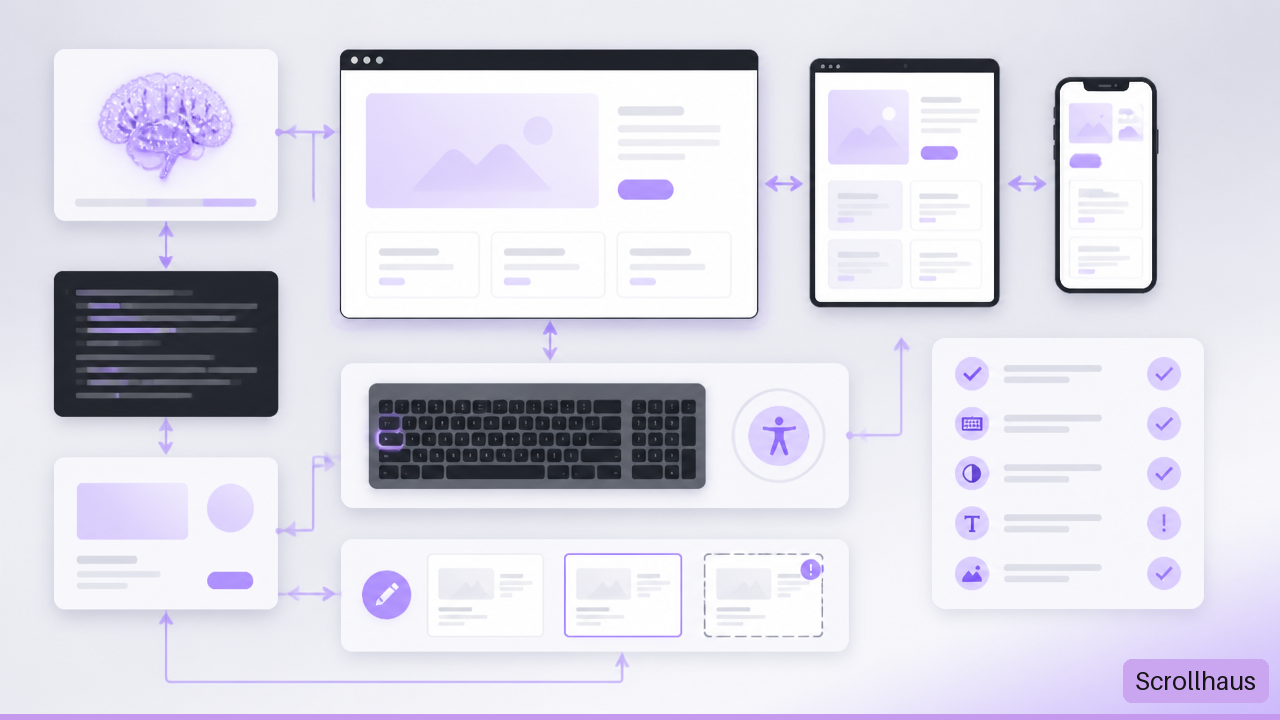
Test keyboard navigation, visible focus states, headings, alt text, form labels, and color contrast.
Publish to a test domain and inspect forms, analytics, redirects, page titles, and metadata.
The goal is not to crown a winner after 15 minutes. It is to expose the human correction workload. A builder that creates a strong first draft but requires hand-fixing every revision may be slower over a six-month project than a less flashy tool with clearer controls.
Check Mobile And Accessibility Before You Fall In Love
AI-generated pages often look strongest in the desktop preview. That does not establish that they work on a small screen or with assistive technology.
A common failure pattern is predictable: a complex desktop hero uses overlapping layers, large display text, and animated elements. On mobile, the text wraps into six lines, the primary button drops below the visible area, and a decorative layer blocks a form control. The page remains technically published, but its most important action becomes harder to complete.
Review these items manually:
• Test at narrow, medium, and wide screen widths rather than one mobile preview
• Navigate the full page with a keyboard, including menus, modals, and forms
• Confirm that heading levels follow a logical order
• Check that images have meaningful alt text when the image conveys information
• Verify that error messages explain what went wrong and how to fix it
• Disable or reduce motion where the platform supports it
• Read the page without relying on color alone to explain status or priority
These checks are not proof of full compliance with any accessibility standard. They are a practical production gate. If a platform makes routine fixes difficult, that limitation should count heavily in the decision.
Separate Visual Portability From Source-Code Portability
“Code export” sounds simple. It is not.
A visual export might let you copy HTML and CSS for a page. A source-code export might include components, assets, JavaScript, package settings, and build configuration. Neither necessarily includes CMS records, redirects, analytics settings, user accounts, database tables, secret keys, automation logic, or deployment configuration.
Pixpa’s overview of export-focused Framer alternatives positions Webflow for users who need exportable HTML and CSS, while also noting that platforms differ in CMS capacity, code access, pricing, and hosting. That is the right framing: export is a criterion, not a universal promise of complete portability.
Before committing, ask the vendor or test account these questions:
| Ownership Question | What A Clear Answer Looks Like | Risk If The Answer Is Vague |
|---|---|---|
| Can I export code? | Exact file types and exclusions are stated | You may only receive static markup |
| Can I export content? | CMS records and media can be downloaded | Migration becomes manual copy work |
| Can I move my domain? | DNS and domain ownership remain under your control | Launch or exit may be delayed |
| Can I retrieve assets? | Original uploads can be downloaded in bulk | Brand files become trapped |
| Can I preserve redirects? | Redirect lists can be exported or recreated | Search traffic and old links may fail |
| Can I back up data? | Database or integration export procedures are documented | Recovery becomes difficult after an outage |
Ownership is not anti-platform thinking. It is operational planning. A managed tool can be the best option when it reduces maintenance, as long as you understand the exit path before the project grows.
Choose The Right Framer Alternative
The best alternative is the one that matches the work after launch. That includes content operations, edits, client handoff, and technical support.
Match The Platform To The Actual Job
| Project Need | Strong Direction | Choose It When | Avoid It When |
|---|---|---|---|
| High-design marketing site | Framer-like visual builder or Webflow | Visual control, animation, and publishing are central | You need complex user data and product logic |
| Content-heavy website | CMS-oriented builder | Editors will publish frequently | Content structure is secondary to application behavior |
| Fast small-business site | All-in-one AI site builder | Speed and managed business tools matter most | You need unusual interactions or portable code |
| Multi-client agency workflow | Agency-oriented platform or white-label CMS | Client permissions and repeatable production matter | Every client requires custom app logic |
| Membership portal or directory | Data-oriented low-code platform | Accounts and structured records are core | You need fully bespoke interaction behavior |
| SaaS prototype or internal tool | AI app builder or code workflow | You need auth, database records, and custom logic | The project is only a public marketing site |
Webflow remains relevant when design systems, structured content, and custom-code flexibility matter. Wix Studio is commonly positioned toward agencies and enterprise teams, while simpler all-in-one builders can reduce setup for business sites. The important choice is not whether one platform is “better.” It is whether the editing model matches who will operate the site.
For a startup landing page, I would prioritize responsive control, SEO settings, form handling, visual quality, and easy iteration. For an agency, client roles, reusable systems, billing structure, and handoff procedures deserve equal weight. For a product app, authentication, data ownership, security review, logs, and maintainable source code move to the top.
Model The Real Cost, Not The Entry Price
A low monthly subscription can become expensive if it excludes the parts needed for production. Build a basic cost model before selecting a platform.
Total monthly operating cost = plan fee + AI usage + team seats + hosting + domain + CMS or database usage + third-party services + maintenance time
The maintenance term is easy to ignore because it is not on an invoice. Yet it can be meaningful. If a marketing team needs to ask a developer to repair every layout adjustment, the site is not truly low-code for that team.
Consider two hypothetical options. Platform A costs less each month but charges AI credits for each generation, limits CMS items, and requires an external form provider. Platform B costs more but includes CMS, forms, hosting, and collaboration. Platform A may still be right for a simple five-page site. It may not be cheaper once a team publishes weekly content and makes frequent revisions.
Key Takeaways
• Choose a visual builder for presentation, publishing, and brand-led websites; choose an AI app builder when users, data, and custom rules are central.
• Test revisions, mobile behavior, keyboard access, forms, and deployment before deciding. A strong first generation is not enough.
• Treat code export as a detailed ownership question. Static HTML, CMS content, database records, and deployment settings are different things.
• Compare total operating cost, including AI credits, team seats, backend usage, and the time needed to correct generated output.
• Keep a clear exit path: domain ownership, asset retrieval, content export, redirects, and backups should be understood before launch.
FAQ
What Is The Best Framer Alternative For Building A Website With AI?
For a design-led marketing site, the best option is usually a visual builder with strong responsive editing, CMS support, and manageable publishing controls. For a quick small-business site, an all-in-one AI website builder may be sufficient. For an app with accounts and data, use an AI application builder instead. The project requirement matters more than a universal ranking.
Which Framer Alternative Can Generate A Full-Stack Web App From A Prompt?
Tools in the AI app-builder category, including Lovable, Bolt.new, Replit Agent, and similar code-centered platforms, are better aligned with full-stack work than a conventional visual page builder. Confirm what they actually generate: authentication, database connections, server logic, deployment, and editable source code. A generated interface alone does not make the result full-stack.
Is Webflow Better Than Framer For AI-Assisted Website Building?
It depends on the work. Webflow may fit teams that need structured CMS workflows, custom code flexibility, or an export-oriented HTML and CSS path. Framer may fit teams that prioritize a faster visual publishing experience and design-led landing pages. Compare how each handles your actual content model and revision process rather than treating either tool as universally better.
Which Alternative Gives The Most Control Over Generated HTML, CSS, And JavaScript?
Code-oriented AI development tools generally provide more direct control because the output lives in a development workflow rather than only inside a hosted visual editor. Still, inspect the repository, dependencies, build process, and deployment configuration. “Code access” can range from editable components to a limited export that excludes critical services.
Can An AI Builder Create Authentication, Databases, And User Dashboards?
Some can, particularly application-focused tools and low-code platforms with backend integrations. The important question is whether the platform also supports permissions, validation, secure secret handling, database backups, and user recovery flows. A dashboard with sample data is easy to generate; a reliable dashboard with private user data requires more scrutiny.
Which Framer Alternative Is Best For A Startup Landing Page?
Choose a platform that lets you control mobile layouts, page metadata, forms, performance, and visual details without adding unnecessary backend complexity. If the startup also needs a product prototype, keep the public site and the application workflow separate when that makes maintenance easier. One tool does not have to own every part of the stack.
Do AI Website Builders Export Clean, Portable Code?
Sometimes, but portability varies widely. Exported code may not include CMS data, managed interactions, authentication, databases, redirects, analytics, or deployment settings. Test a small export before purchase: run it locally if possible, inspect the files, and confirm how content and assets would move during a migration.
How Should A Generated Site Be Tested Before Going Live?
Test real content, mobile widths, keyboard navigation, forms, analytics, SEO metadata, loading behavior, and error states. Then ask someone unfamiliar with the site to complete the main task, such as submitting an inquiry or finding pricing. If the task is unclear on a phone, the desktop design is not ready to ship.
Sources
• Pixpa — 8 Best Framer Alternatives in 2026 (Ranked & Compared): https://www.pixpa.com/blog/best-framer-alternatives
• Hostinger — 6 Best Framer Alternatives in 2026: https://www.hostinger.com/tutorials/framer-alternatives/
• Emergent — Framer Alternatives: 7 Best Tools I Tested in 2026: https://emergent.sh/learn/framer-alternatives
Where ScrollHaus fits
If you want to build in an AI coding tool rather than a visual editor, starting from a working animated reference helps the result stay close to what you pictured.
- Browse the ScrollHaus library of animated website templates
- Try the free templates on GitHub
- Framer templates: how to choose a starting point
- Best AI website template libraries compared
Explore animated website templates at Scrollhaus →
Need help with a template, account, or project? Email admin@scrollhaus.ai.