AI Website Guides · 2026-10-06 · 15 min read
Motion So: A Practical Guide to AI Motion Design
Learn what Motion So does, how its AI video workflow works, when to use its API or Studio service, and what to review before publishing.
Written by AmJ, founder of Scrollhaus, and edited by the Scrollhaus editorial team. Sources and methodology are documented in the article.

Key takeaways
Motion so, commonly written as Motion.so, is an AI motion design product for creating marketing videos from a written brief. It is built for teams that need launch videos, product demos, animated brand assets, and social content without beginning every project in a blank editing timeline.
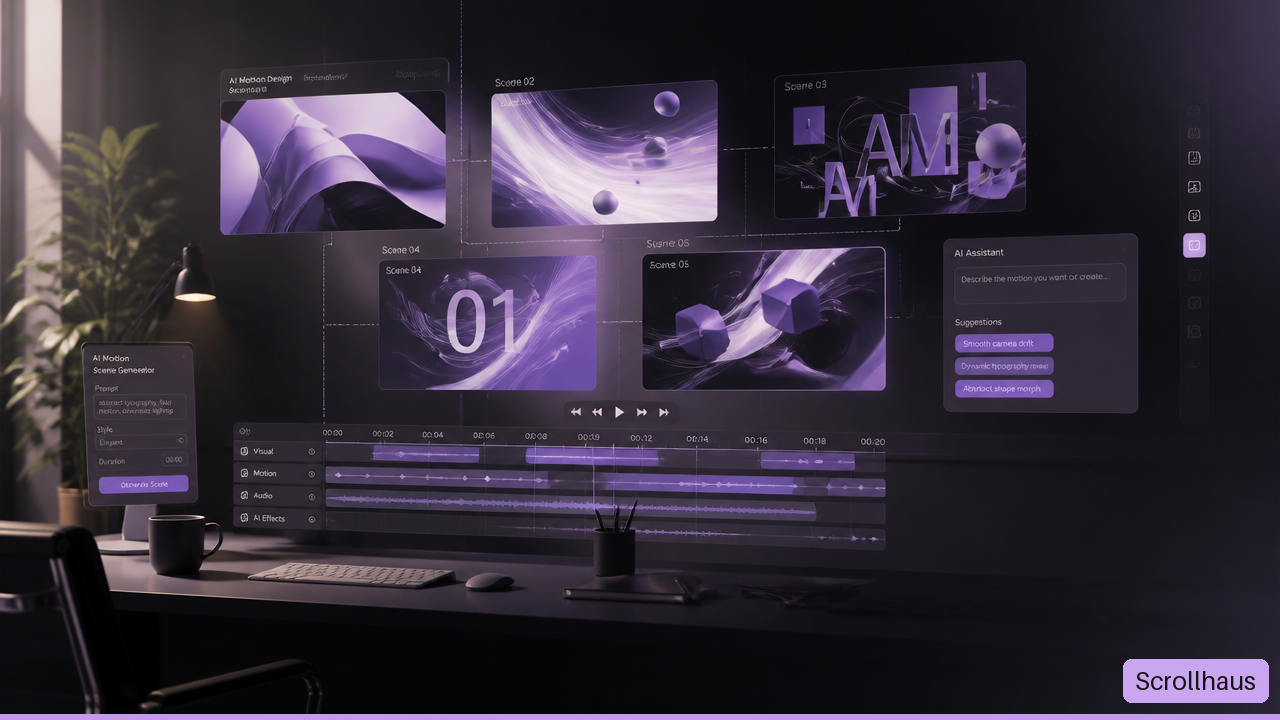
Table of Contents
- What Motion So Is and What It Produces
- How to Build Better Videos With Motion So
- How the API and MCP Workflow Operate
- When to Choose Motion or Motion Studio
- Key Takeaways
- Motion So FAQ
What Motion So Is and What It Produces
Motion so is best understood as an agentic video production workflow rather than a single clip generator. A user supplies a concept, product brief, website, reference material, or creative direction. Motion then helps turn that material into a planned sequence of scenes with visual design, animation, sound, and edits.
Motion is designed for work where motion itself carries the message. A launch video may need to show a product problem, reveal an interface, establish a visual mood, and end with a call to action in less than a minute. That is not simply “make a video.” It is a chain of creative decisions: narrative order, scene timing, typography, product accuracy, sound, and brand fit.
Motion’s official introduction says the system can assist with research, scripting, design, motion, voiceover, music, and editing in a connected workflow. That broad scope matters because weak videos often fail between stages. A polished animation cannot rescue a vague script, and a clear script can still feel generic if the visual system ignores the brand.
The Core Use Cases
Motion so is positioned for several marketing and brand tasks. The right use case depends on how much factual precision the video needs.
| Use Case | Best Fit | Main Review Risk |
|---|---|---|
| Product launch video | New feature, startup, app, or service announcement | Incorrect claims or outdated product screens |
| Product demo | Showing a user journey or feature flow | Interface details may not match the live product |
| Logo animation | Brand ident, campaign opener, or social reveal | Motion may not reflect established brand rules |
| Social ad | Short promotional message for paid or organic distribution | The message may be too dense for the runtime |
| Explainer video | Teaching a concept, workflow, or offer | Complex ideas can become visually busy |
I would treat these as different production modes, not interchangeable templates. A logo animation can prioritize rhythm and visual surprise. A product demo needs stricter evidence. If a demo shows a dashboard filter that does not exist, the video may look convincing while creating a support problem after launch.
How Brand Context Changes the Output
A generic brief gives an AI system room to invent. That can be useful for early concepts, but it creates risk for a brand video. Motion says it can use a company website to infer colors, typography, and visual references through its website based brand context feature.
That can provide a faster starting point, especially for a simple marketing site with consistent colors and type. Still, a website is not a complete brand system. It may contain legacy pages, accessibility styles, campaign exceptions, or product UI colors that should not become advertising colors.
For that reason, I recommend supplying explicit brand inputs when the project matters. Include approved logo files, preferred colors, font guidance, prohibited treatments, and examples of work that feels right. A site URL can inform the direction. It should not become the only source of truth.
A useful rule: let AI create options, but let approved brand materials set the boundaries.
What Motion So Does Not Automatically Settle
The visible product materials explain what Motion can create, but they do not establish independent benchmarks for generation speed, failure rates, per video cost, output resolution, or accuracy across different products. Those details may change with the product and account setup.
This uncertainty has a practical effect. Do not schedule a campaign around an assumed generation time until the workflow has been tested for that campaign. For example, a team preparing a same day feature release should have approved screenshots, a fallback cut, and a person ready to verify the final export. The creative brief may be fast to submit; approval is still a separate process.
How to Build Better Videos With Motion So
The quality of a Motion so output begins before generation. A one sentence request can start a concept, but a structured brief gives the system less room to guess about what matters.
Start With a Clear Creative Brief
A strong brief answers the questions a director, designer, and editor would otherwise need to ask. It does not need to be long. It needs to be specific.
- Goal: State the action the viewer should take or the idea they should remember.
- Audience: Name the viewer and their context. A founder evaluating software needs different framing than a consumer seeing an ad in a social feed.
- Message: Write the single central claim in plain language.
- Proof: Provide accurate product screens, approved statistics, feature details, or customer language.
- Brand direction: Specify colors, typography, logo handling, tone, and reference examples.
- Format: Define aspect ratio, runtime, channel, captions, and sound expectations.
- Constraints: List prohibited claims, confidential information, legal review needs, and any required wording.
Consider two versions of the same request. “Make a video about our scheduling app” leaves nearly every decision open. “Create a 30 second vertical video for independent consultants, showing how the app turns a client request into a confirmed calendar slot; use approved mobile screens, calm narration, and the phrase ‘Confirm the next step’ only in the final scene” gives the production process a usable frame.
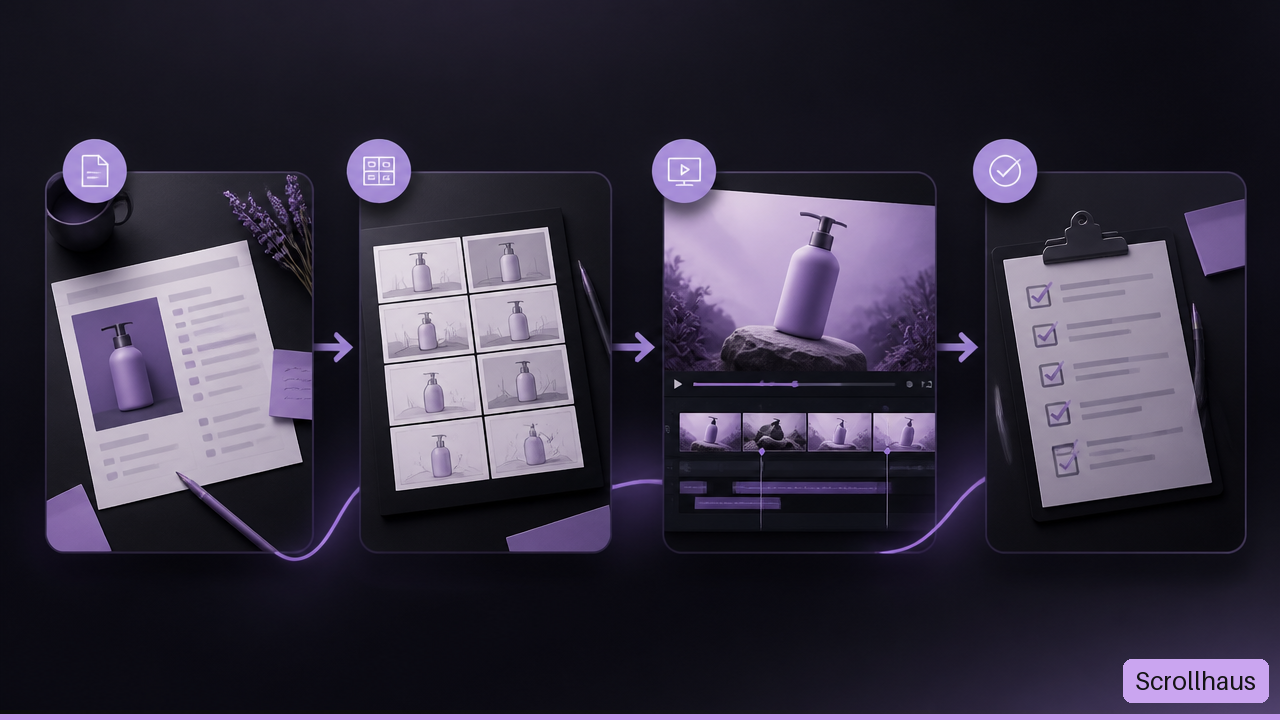
Use the Storyboard as the First Quality Gate
Storyboarding is where a video becomes understandable. Before evaluating animation polish, verify the order of ideas.
For a product launch, a reliable structure often looks like this:
| Scene | Job of the Scene | Question to Ask |
|---|---|---|
| Opening | Establish the problem or tension | Would the intended audience recognize this issue? |
| Reveal | Introduce the product or feature | Is the product named clearly and early enough? |
| Demonstration | Show how it works | Are the screens and interactions accurate? |
| Benefit | Explain the value | Does the benefit follow from what was shown? |
| Close | Give a next step | Is the call to action visible and realistic? |
This structure is not mandatory, but it prevents a common failure mode: attractive scenes that do not form an argument. If a viewer sees floating interface cards, abstract gradients, and fast captions but cannot explain what the product does, the edit needs narrative work rather than more visual effects.
Revise in Small, Testable Changes
Motion supports conversational changes and direct manipulation, but “edit without full regeneration” should not be read as a guarantee that every adjustment is isolated. A scene rewrite can alter pacing. A new voiceover line can change caption timing. A different visual direction can make adjacent scenes feel inconsistent.
I recommend changing one category at a time:
• First, correct factual content and product screenshots.
• Next, refine story order and scene duration.
• Then, adjust visual style, motion intensity, and transitions.
• Finally, tune voiceover, music, captions, and export details.
This order reduces rework. There is little value in perfecting music timing before the product message is final.
Review for Production Readiness
A generated video can be visually complete while still being unsafe to publish. I would use a human review boundary for any asset containing product claims, customer information, pricing, regulated language, or recognizable brand elements.
Review these areas before release:
• Factual accuracy: Confirm every feature, UI state, price, date, and claim.
• Brand fidelity: Check logo spacing, type treatment, colors, and tone against current guidance.
• Visual continuity: Watch for changing objects, unstable interface elements, inconsistent shadows, or abrupt transitions.
• Audio quality: Check pronunciation, pacing, music volume, and whether narration is understandable without strain.
• Caption quality: Verify spelling, timing, contrast, and whether captions match spoken words.
• Channel fit: Test the actual aspect ratio, safe areas, thumbnail frame, autoplay behavior, and sound off viewing.
A simple example shows why this matters. A video for a mobile app may look correct in a wide desktop preview but crop important copy in a vertical ad placement. The fix is not creative preference. It is distribution readiness.
How the API and MCP Workflow Operate
Motion so can also be part of a developer workflow. This is useful when a team wants to trigger video creation from another system, create many structured requests, or connect an AI assistant to a video production tool.
The API Uses Asynchronous Sessions
The Motion API is built around an asynchronous job pattern. A client creates a generation session, receives information about that session, and checks its status until the output is ready. The final response can provide an MP4 download URL.
This is different from a normal web request where a browser waits a few seconds and receives a finished result. Video generation may take long enough that the calling application must remain responsive while the job runs elsewhere.
A practical integration flow looks like this:
- Send a request that creates a Motion session with the brief and any approved inputs.
- Store the session identifier in the calling application.
- Poll for status on a measured schedule rather than sending repeated requests continuously.
- When output readiness is confirmed, retrieve the final asset URL.
- Send the result into a review queue, asset library, or publishing workflow.
- Record errors and allow a person to decide whether to retry, revise, or stop.
The important design choice is the review queue. A completed job means the system has delivered an output. It does not mean the output has been approved for publication.
Plan for Failure and Recovery
Public materials do not provide a complete independent picture of retry behavior, latency, or failure rates. So an integration should not assume every session resolves cleanly.
Use clear states in the surrounding product, such as submitted, processing, ready for review, approved, and needs revision. Avoid showing “published” immediately after a file becomes available.
For example, if an internal campaign tool creates three versions of an ad, the tool can show all three as ready for review. A marketer chooses one, requests a revision, or rejects them. This avoids accidental delivery of an unreviewed asset simply because the API completed successfully.
MCP Is Different From Direct API Access
MCP, short for Model Context Protocol, allows compatible AI tools to connect with external services. Motion’s learning materials identify Claude, ChatGPT, and Cursor as tools that can connect to Motion through MCP. Its documentation identifies OAuth 2.1 as the authentication method for the MCP endpoint.
Direct API access is generally better when a developer needs predictable, coded behavior in an application. MCP is better when an AI assistant needs to help a person create or revise work through a connected tool environment.
The distinction matters for governance. An API integration can limit inputs and enforce a fixed workflow. An MCP connected assistant may work from a broader conversation, repository, or knowledge base. That can be convenient, but it raises the need for careful permissions.
Protect Connected Context
When connecting websites, GitHub, Notion, or another system, give Motion only the access needed for the task. Do not assume that a useful connection requires access to every project, page, or repository.
Before enabling a connection, define:
• Which materials are safe to use in generated videos.
• Whether customer data, unreleased features, or internal plans may appear in the connected source.
• Who can authorize a generation request.
• Who can download, approve, or publish the result.
• How the team will remove access when a campaign or contractor relationship ends.
The available materials do not establish detailed retention or privacy controls for every connected workflow. For sensitive work, confirm those terms directly before uploading confidential content.
When to Choose Motion or Motion Studio
Motion and Motion Studio address different levels of creative responsibility. Motion is the self serve AI product. Motion Studio is a service that combines the technology with human creative direction, a first cut, revisions, and final delivery.
Use This Decision Framework
| Situation | Better Starting Point | Why |
|---|---|---|
| You need rapid concept videos and can manage review internally | Motion | The team can draft, iterate, and approve within its own workflow |
| You have a clear brief and recurring content needs | Motion with API or MCP | Structured inputs can support repeatable production flows |
| The campaign has high visibility or a complex story | Motion Studio | Human creative direction can help resolve ambiguous decisions |
| You need a polished launch asset but lack internal motion direction | Motion Studio | The service includes creative direction and revision stages |
| You are testing messaging before committing to a campaign | Motion | Fast concept creation can help compare directions |
I would choose Motion when the team has a clear owner for product facts, brand approvals, and final publishing. I would consider Motion Studio when the work needs someone to shape the concept, not just generate versions of it.
Match the Workflow to the Risk
Self serve tools work best when the brief is stable and the consequences of a small visual error are limited. A short social teaser for a well documented product feature is a strong candidate. A video announcing regulated pricing, a medical outcome, an investment claim, or a private beta feature needs a tighter approval chain.
This is not an argument against automation. It is a reminder that video combines many failure points into one file. A phrase can be legally sensitive. A button label can be outdated. A voiceover can overstate what the product does. The more consequential the message, the more valuable human review becomes.
Build a Practical Approval Loop
A reliable production loop is short but explicit:
- Create the brief using approved facts and materials.
- Review the storyboard for message order and product accuracy.
- Generate a draft and assess it against the review criteria.
- Request targeted revisions rather than vague improvements.
- Get brand, legal, product, or accessibility approval where needed.
- Export and test the file in the real delivery channel.
This workflow may sound formal for a 20 second video. It is still lighter than repairing a public post after viewers identify an incorrect feature or unreadable caption.
Key Takeaways
• Motion so is an AI motion design workflow, not only a text to video generator. It combines planning, design, animation, audio, and editing tasks.
• A structured brief produces a more reliable starting point than a broad request because it defines message, audience, proof, brand direction, format, and limits.
• Website based brand context is useful but incomplete. Treat approved brand files and current product materials as the final authority.
• API generation is asynchronous. Applications should create a session, track status, retrieve finished outputs, and route results into review rather than auto publishing.
• MCP and direct API access serve different needs. MCP supports assistant led workflows; APIs better suit controlled application integrations.
• Motion Studio is not the same as self serve Motion. Choose Studio when human creative direction and managed revisions are part of the requirement.
• Human review remains essential for product claims, accurate interface footage, brand critical work, captions, accessibility, and campaign compliance.
Motion So FAQ
What Is Motion So?
Motion so is the AI motion design product available at Motion.so. It is designed to help create marketing oriented videos from written briefs and related context, including launch videos, demos, explainers, animated brand assets, and social content.
Is Motion So an AI Video Generator or a Motion Design Service?
It is both a self serve AI product and, through Motion Studio, a human directed production service. The self serve product is suited to teams that can guide and approve the work internally. Motion Studio is aimed at teams that want creative direction, a first cut, revisions, and final delivery managed as a service.
Can Motion So Create a Product Demo From a Website or Brief?
It can be used to create a product demo from a brief and brand context. Still, a website alone is not enough to guarantee an accurate demo. Supply current screenshots, test accounts where appropriate, exact feature language, and a reviewer who knows the product before publishing.
Can I Edit Individual Scenes Without Regenerating the Entire Video?
Motion supports conversational revision and direct manipulation. In practice, treat edits as connected: a changed line of narration may affect captions and timing, while a new scene direction may affect visual consistency. Review nearby scenes after any meaningful revision.
Does Motion So Generate Voiceover, Music, and Captions?
Motion’s official materials describe voiceover, music, and captions as part of the wider production workflow. Those elements should still be reviewed for pronunciation, pacing, caption accuracy, accessibility, and whether the audio supports rather than competes with the message.
How Does the Motion So API Create and Track a Video Job?
A developer creates an asynchronous Motion session, stores the session information, polls for its status, and retrieves the output when it is ready. A completed response can provide an MP4 download URL. The surrounding application should keep approval separate from technical completion.
Can Motion So Return Information About Source Assets?
Motion’s developer documentation indicates that API responses can include source information for source asset auditing. This can be useful when a team needs to inspect what materials were associated with a result, though teams should define their own review and recordkeeping process.
Is Motion So Suitable for Production Ready Launch Videos?
It can support launch video production, but suitability depends on the brief, the stakes, and the approval process. Use it confidently for well defined creative work with clear source materials. Add stronger human review or choose Motion Studio when product accuracy, brand sensitivity, legal claims, or campaign visibility raise the cost of mistakes.
Sources/References
- motion.so — https://motion.so/
- motion.so — https://motion.so/blog/introducing-motion
Explore animated website templates at Scrollhaus →
Need help with a template, account, or project? Email admin@scrollhaus.ai.