AI Website Workflows · 2026-10-23 · 6 min read
From Scrollhaus to Readdy AI: A Website Build Workflow
Start with a design you can see in motion. Use Scrollhaus to choose the direction, then bring its brief into Readdy AI and build your own website one section at a time.
Published by Amanjot Singh, founder of Scrollhaus. AI-assisted editorial work; product context, sources and corrections are documented in our editorial methodology.
Key takeaways
- Start in Scrollhaus: inspect a live design, then copy its build instructions and gather the available assets.
- Continue in Readdy: adapt the brief to its supported workflow and build one section at a time.
- Review the generated website on desktop and mobile before publishing. This workflow is not a verified direct integration.
One idea, two useful steps: find the visual direction in Scrollhaus, then turn that direction into your own website in Readdy AI. A live reference gives your build brief something concrete to describe: the hierarchy, color, motion and section order you want visitors to experience.
This is a suggested workflow for combining a design library with an AI website builder. We checked Readdy's official feature documentation on 23 October 2026; we have not verified a direct import or an exact one-paste recreation of a Scrollhaus design inside Readdy. Start with the free example below and validate the result before choosing paid tools.
The workflow: discover, copy, build, review
- Discover in Scrollhaus. Open a live preview and choose a design that fits your offer.
- Copy the build brief. Collect the entry's available instructions, asset links and responsive notes.
- Build in Readdy AI. Adapt the brief, add your content and generate one section at a time.
- Review and publish. Test the website, connect the real destinations and use your chosen publishing setup.
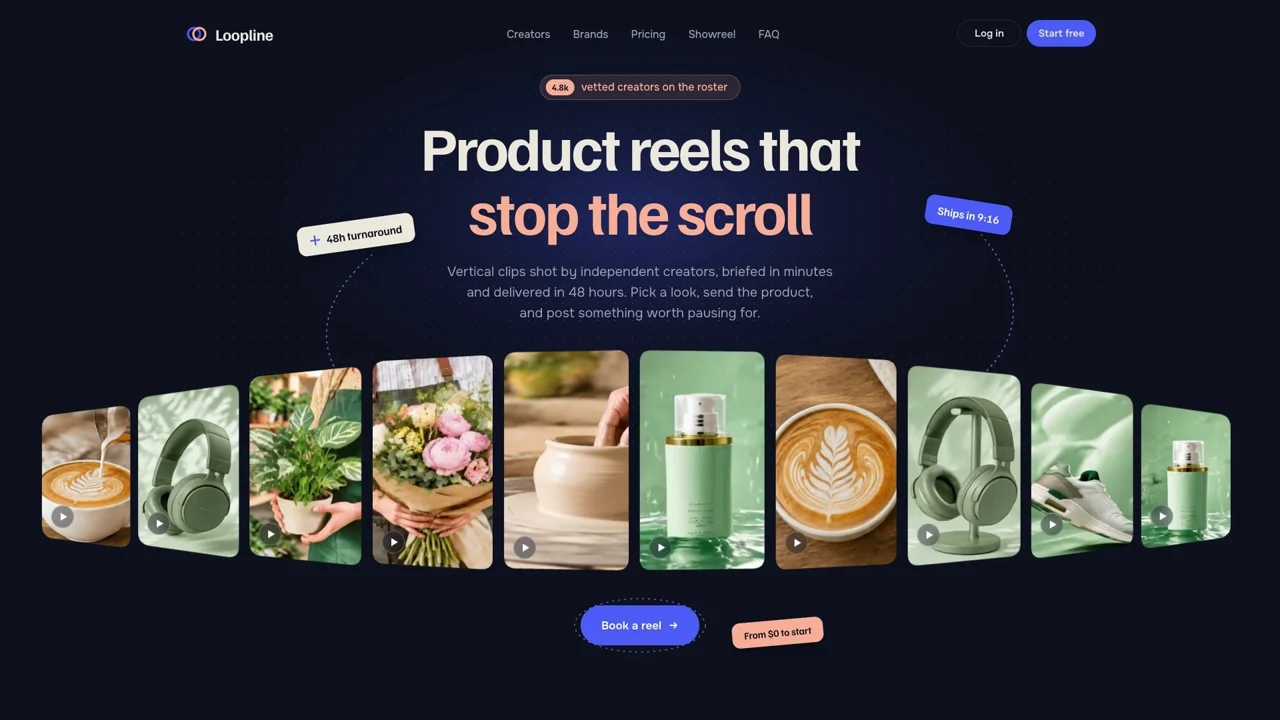
Explore the Scrollhaus template library to choose a direction, or start with the free LOOPLINE example. When you are ready to build, open Readdy AI in a separate project.
Step 1: choose a website direction in Scrollhaus
Begin with the job your website needs to do. A consultancy needs a clear service, credible proof and an enquiry path. A product launch may need a memorable visual story. A portfolio needs the work itself to stay easy to explore. Choose the design that supports that job.
Open the preview and scroll through the whole page. Note what moves, when it moves and what remains readable while the animation plays. Try the navigation and the main call to action. Check the phone layout too: a strong desktop hero still needs a clear path on a small screen.
Use LOOPLINE's live preview, public build prompt and asset manifest to see what a reference package contains. Other entries have their own access requirements and source formats. Our template selection checklist helps you inspect the deliverable before choosing.
Step 2: copy the instructions and make them yours
Use the entry's copy/build instructions as the starting brief. Keep the useful specifics: typography, color roles, layout, asset URLs, animation triggers and mobile behavior. Replace the example brand, offer and wording with your own approved content.
Before pasting the brief into a builder, prepare these four things:
- The goal: what visitors should understand and which action they should take.
- Your content: headline, explanation, services, proof you can substantiate and contact details.
- Your assets: logo, imagery and media you own or are licensed to use.
- The behavior: which motion matters, what happens on touch devices and how reduced motion should work.
Review any stack-specific instructions before using them in Readdy. Source files and prompts are different deliverables; a downloadable project does not establish that a builder supports importing it unchanged. For a more detailed brief, use our AI website prompt guide.
Step 3: paste an adapted brief into Readdy AI
Readdy's prompting guide recommends focused, specific requests and working on one page or task at a time. Follow that pattern: begin with a representative hero, review the result, then continue through the page with the same design rules.
The following original starter message shows how to introduce your copied reference instructions. It is an illustrative brief, not a tested Readdy preset.
I am building a website for [company] serving [audience].
The main goal is [booking / enquiry / purchase].

I have chosen a Scrollhaus design as my visual reference. I will provide its
available build brief and assets below. Use these to understand the layout,
typography, color roles and motion direction, then adapt them to the workflow
supported here. Tell me about any unsupported requirement or missing asset.

Replace the example branding and content with my approved copy and assets.
Do not invent clients, testimonials or performance results.

Start with the hero only. Keep the headline and main action readable without
animation. Preserve keyboard access, avoid scroll hijacking and make the
layout work on a phone without hover. Respect reduced-motion preferences.

After I review the hero, continue one section at a time with the same design
system. Identify placeholders before publishing.

My content: [insert approved headline, offer, action and proof]
My assets: [insert usable logo and media URLs]
Reference instructions: [paste the available Scrollhaus build brief]
Review spacing, type sizes and the main action first. If something differs from your reference, describe one correction at a time. For example: keep the headline to two lines at desktop width, move the booking link above the fold, or make the supporting visual settle before the next section enters. Concrete corrections are easier to assess than asking for a page to feel more premium.
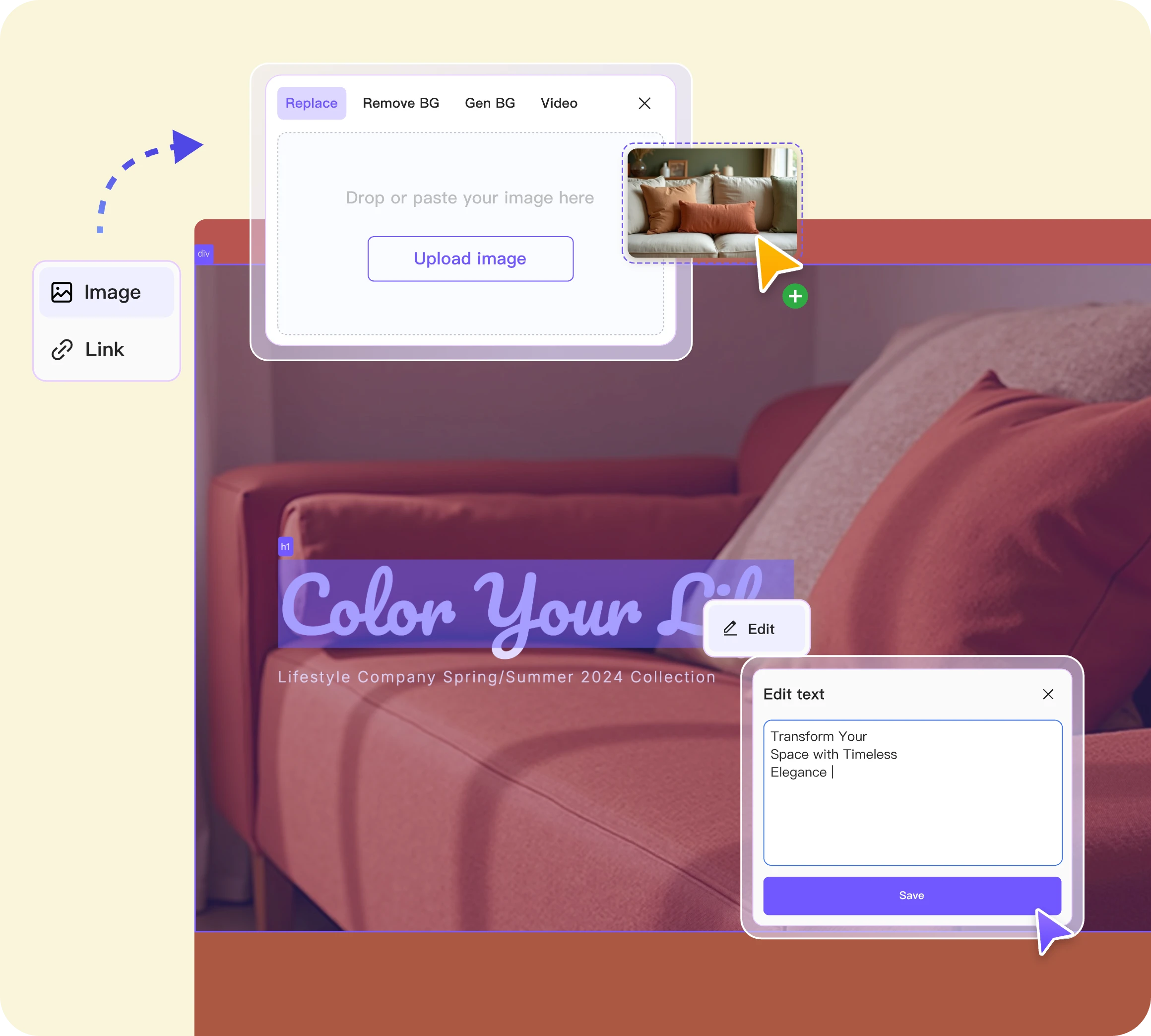
Step 4: refine the motion inside Readdy
Readdy documents an Animate control for selected text, images, buttons, cards and sections. Preview an effect before applying it and check how it works with the rest of the page.
Keep each movement tied to a purpose: introducing a section, explaining a product or making navigation clearer. Read the page while scrolling quickly as well as slowly. The offer and next action should remain easy to find. Our scroll animation performance guide covers loading, input and accessibility checks.
Step 5: check the website and publish
Use this final review before sharing the page:
- Desktop and phone: check text wrapping, spacing, media sizing and horizontal overflow.
- Real actions: test the actual booking link, enquiry form or checkout destination.
- Motion and accessibility: test touch, keyboard focus and reduced-motion behavior.
- Content and search: replace placeholders; use a specific page title, helpful description, crawlable headings and relevant internal links.
- Ownership: confirm who controls the domain, project, media and any connected services.
For an export-based handoff, Readdy's code editor documentation describes editing project files and exporting a React, TypeScript and Tailwind project. Verify your current plan's eligibility and account for any hosted services that need their own migration. Our client handoff guide provides a practical checklist.
Check Readdy's current plans for builder allowances and publishing features, and Scrollhaus plans for library access. Include any separate hosting and asset costs in your project budget.
Start with one design and one section
Open the free LOOPLINE reference in Scrollhaus, copy its instructions and prepare your content. Then bring an adapted brief into Readdy AI, build the hero and review it before expanding the page. A clear reference and a focused first step give you a practical starting point for your own website.
Sources and workflow scope
This guide is written by Scrollhaus. Readdy feature descriptions link to its official homepage, prompting, animation, code editor and pricing documentation. Scrollhaus examples link to our live library and available instructions. This article describes a suggested complementary workflow; it does not announce an official partnership or integration, or promise an identical generated result.
Frequently asked questions
How do Scrollhaus and Readdy AI fit into one workflow?
Use Scrollhaus to choose an animated reference and copy its available build instructions. Adapt the brief in Readdy, generate one section at a time, then review and publish your own project.
Can I paste a Scrollhaus prompt into Readdy AI?
You can use the copied instructions as a starting brief. Adapt them to Readdy’s supported workflow, supply assets you can use and validate the generated result. This guide does not claim a tested one-paste recreation or direct project import.
Is there a free Scrollhaus example to start with?
Yes. LOOPLINE has a free live preview, a public build prompt and an asset manifest linked in this guide.
Are Scrollhaus and Readdy officially integrated?
This guide describes a suggested workflow using the two products. An official integration or partnership has not been announced here.
Explore animated website templates at Scrollhaus →
Need help with a template, account, or project? Email admin@scrollhaus.ai.