Website Design Guides · Published · 5 min read
Build a Single-Property Website That Books Viewings
A stand-alone property website gives a listing a shareable address and one clear job: help a prospective buyer decide whether to arrange a viewing. Use this layout to brief a designer or AI builder and turn a live example into a page for a real listing.
Published by Amanjot Singh, founder of Scrollhaus. AI-assisted editorial work; product context, sources and corrections are documented in our editorial methodology.
Key takeaways
- Put essential property details and a viewing link in the first screen.
- Give floor plans, gallery images and location details their own sections.
- Test a viewing request from the live mobile page before sending the link to buyers.
Start with the listing and the viewing request
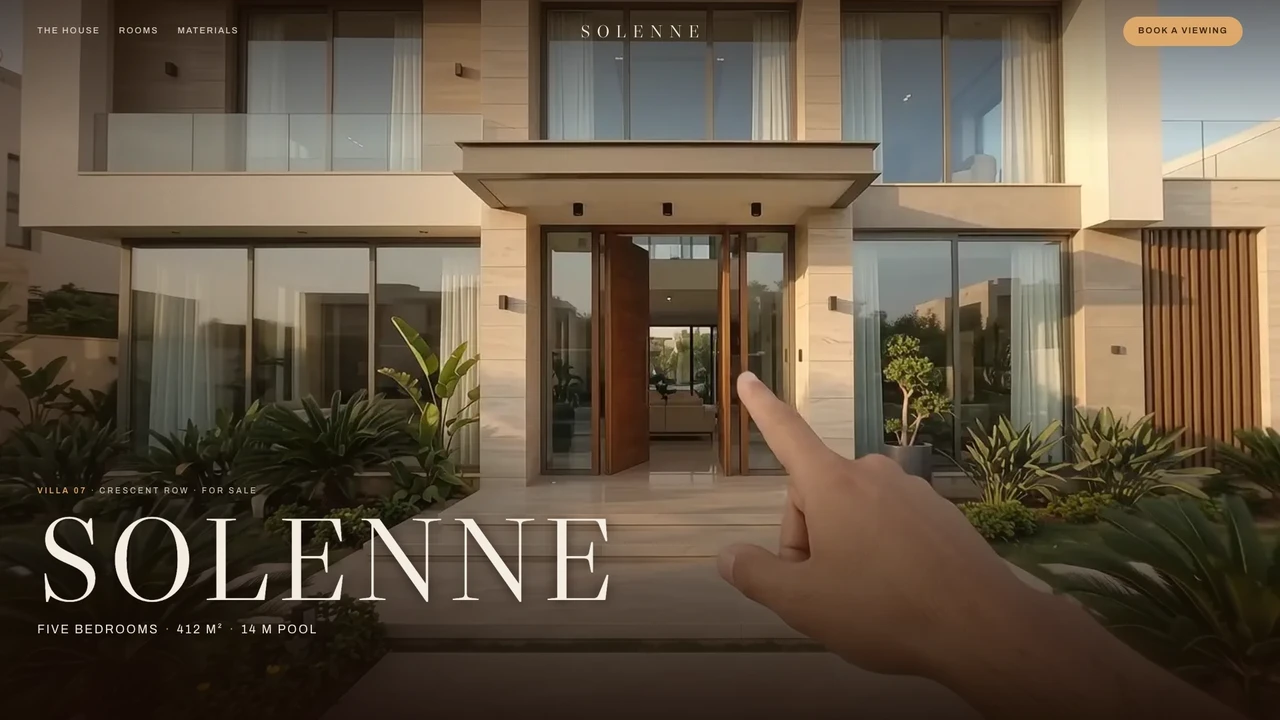
Open the Solenne design card to see how a dedicated property landing page can lead with architecture and photography. Scrollhaus shows the design direction in the catalogue. Use the property information and images you are authorized to publish for your own project. For an agent, brokerage or multi-listing site, start with the real estate website templates comparison.
Use these six sections in order
- Hero and facts. Include the listing name or approved address, status, price or pricing instruction, beds, baths and floor area. Put a “Request a viewing” link beside the primary photo.
- Gallery. Lead with the most useful images: the exterior, main living space and primary bedroom. Make captions and keyboard controls available. Give each image dimensions so the page stays in place as images load.
- Floor plans and specifications. Show a legible floor-plan preview and provide a full-size link where available. Write key measurements in page text and verify units.
- Location. Describe nearby amenities in your own words. Include verified distances and link to directions. Use an approved general location if the street address is private.
- Viewing request. Ask for name, email and preferred time. Offer a phone or email link as a second route. Confirm receipt on screen and verify the request reaches the listing contact.
- Listing details. Include the listing agent, brokerage, photo credits and applicable disclosures. Give the owner a way to update the price and status before the next advertising push.
Copy this brief into your builder
Build a responsive listing page for one property.
Use the supplied listing facts, gallery, floor plan and agent details.
Ask for any missing required fact before publishing.
Add sections in this order: hero, facts, gallery, floor plans, location, viewing form.
Link the hero and mobile viewing buttons to #request-viewing.
Use a sharp still as the hero. Add a subtle gallery reveal when motion is allowed.
Keep all text, images and controls visible with JavaScript disabled.
Show form success only after the submission is accepted.
Expose price, status, photos and contact destination as editable fields.
Verify the live page before sharing
Open the live link on a phone using mobile data. Check that the first image and property facts appear while the gallery loads, the floor plan can be read at full size, and the viewing form confirms a test request. Check the page title, share image, canonical address and listing contact. Use Google’s crawler documentation when reviewing how the public listing can be discovered.
For a property tour, add the video or interactive view once the essential listing information is visible. Provide a cover image, a clear play or open control, and the same viewing link below the media.
Frequently asked questions
Do I need an MLS or IDX feed for a single listing?
A stand-alone page can be built around a listing you are authorized to publish and maintained manually. Use a separately authorized feed if live inventory is a requirement.
How can I reuse this layout for the next listing?
Put property data, the photo gallery and the contact destination in editable fields. Reuse the page structure, then verify the price, status and form delivery for each published listing.
Browse Scrollhaus website designs and build resources →
Need help with a template, account, or project? Email admin@scrollhaus.ai.