Code Tutorials · Published · 5 min read
Next.js Animated Background: CSS, Canvas & WebGL Examples
An animated background runs on every page, so in Next.js it must be cheap and must never block server rendering. Here are three copy-ready versions, from a zero-JavaScript gradient to a WebGL shader loaded after hydration.
Published by Amanjot Singh, founder of Scrollhaus. AI-assisted editorial work; product context, sources and corrections are documented in our editorial methodology.
Disclosure: Scrollhaus publishes this guide. Code samples are original and tested against Next.js App Router conventions; check the versions in your own project.
Choosing an animated background for a Next.js site
An animated background sits behind everything else, so it has to be cheap, quiet and safe to render on every page. In Next.js the choice also depends on where the code runs: anything that touches window, a canvas or WebGL must be a client component, and heavy libraries should load only in the browser so they never slow down server rendering.
| Technique | Weight | Look | Use when |
|---|---|---|---|
| CSS gradient animation | 0 KB JavaScript | Soft colour drift, aurora | Every page, marketing sites, dashboards |
| Canvas 2D particles or noise | ~2–5 KB | Dots, stars, flow fields | Hero sections, landing pages |
| WebGL shader (raw or three.js) | 5 KB raw, ~150 KB with three.js | Fluid, liquid metal, 3D fields | One signature hero, not every route |
| Looping video | Media only | Anything filmed or rendered | Complex scenes you cannot draw in code |
1. Zero-JavaScript animated gradient
Start here. It works in a Server Component, costs nothing and respects reduced motion with one media query.
// app/components/GradientBackground.tsx (server component)
export default function GradientBackground() {
  return <div aria-hidden className="fixed inset-0 -z-10 bg-[length:300%_300%] animate-[drift_18s_ease-in-out_infinite]
    bg-[linear-gradient(120deg,#0b0a1a,#2a1f5c,#0f3b4a,#0b0a1a)] motion-reduce:animate-none" />
}
// tailwind: @keyframes drift { 0%,100% { background-position: 0% 50% } 50% { background-position: 100% 50% } }
Our animated gradient background guide covers mesh and aurora variants.
2. Canvas particle background as a client component
'use client'
import { useEffect, useRef } from 'react'

export default function Particles({ count = 90 }) {
  const ref = useRef<HTMLCanvasElement>(null)
  useEffect(() => {
    const c = ref.current!, ctx = c.getContext('2d')!
    const dpr = Math.min(devicePixelRatio, 2)
    const dots = Array.from({ length: count }, () => ({ x: Math.random(), y: Math.random(), v: 0.0002 + Math.random() * 0.0006 }))
    const size = () => { c.width = innerWidth * dpr; c.height = innerHeight * dpr }
    size(); addEventListener('resize', size)
    const still = matchMedia('(prefers-reduced-motion: reduce)').matches
    let raf = 0
    const tick = () => {
      ctx.clearRect(0, 0, c.width, c.height); ctx.fillStyle = 'rgba(195,161,255,.55)'
      for (const d of dots) { if (!still) d.y = (d.y - d.v + 1) % 1; ctx.fillRect(d.x * c.width, d.y * c.height, 2 * dpr, 2 * dpr) }
      if (!document.hidden) raf = requestAnimationFrame(tick)
    }
    tick()
    const vis = () => { if (!document.hidden) { cancelAnimationFrame(raf); tick() } }
    document.addEventListener('visibilitychange', vis)
    return () => { cancelAnimationFrame(raf); removeEventListener('resize', size); document.removeEventListener('visibilitychange', vis) }
  }, [count])
  return <canvas ref={ref} aria-hidden className="fixed inset-0 -z-10 h-full w-full" />
}
3. A WebGL shader background without blocking the page
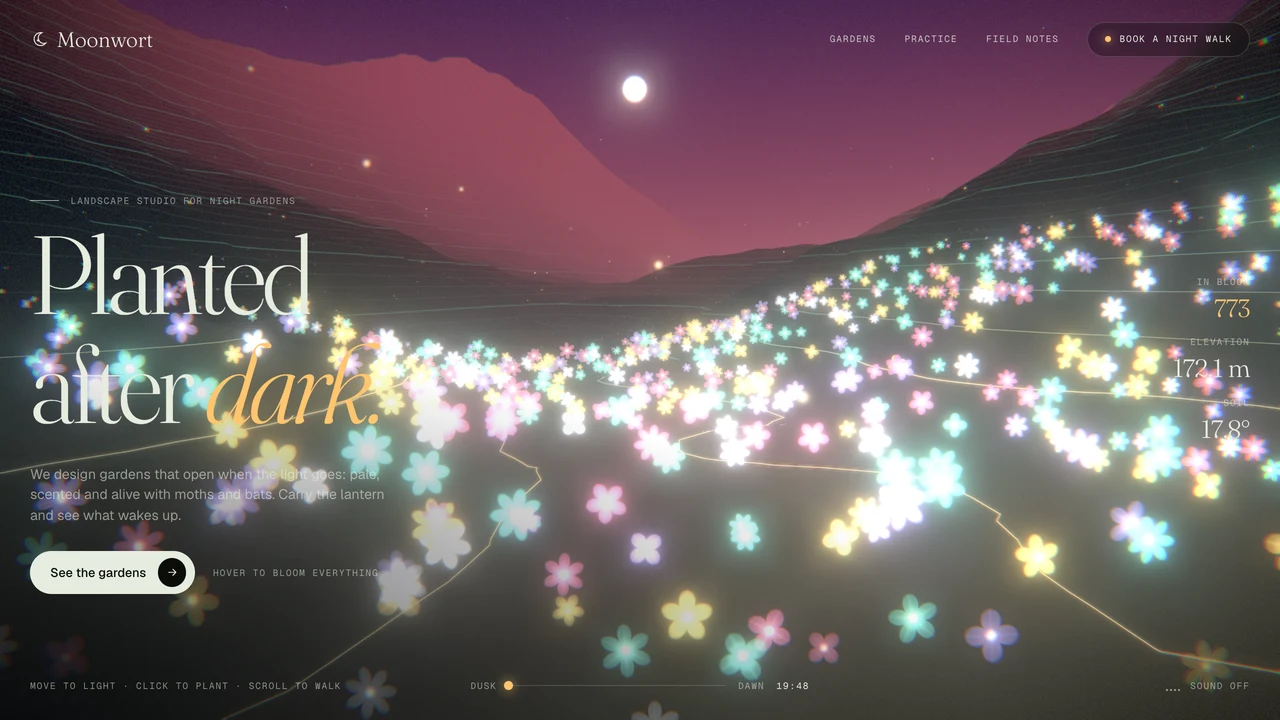
For a richer hero, load the WebGL component dynamically so the server renders your content first and the shader arrives after hydration:
// app/page.tsx
import dynamic from 'next/dynamic'
const ShaderBackground = dynamic(() => import('./components/ShaderBackground'), { ssr: false })

export default function Page() {
  return (<><ShaderBackground /><main><h1>Content renders first</h1></main></>)
}
ssr: false is only allowed inside a client component in the App Router, so put the dynamic() call in a small client wrapper if your page is a server component. Inside the shader component, cap the pixel ratio, pause when the tab is hidden and show a CSS gradient until the first frame draws. The same rules from our browser-based 3D guide apply.
Performance checklist for animated backgrounds in Next.js
- Mark backgrounds
aria-hiddenand keep text contrast at 4.5:1 or better over the brightest frame. - Never animate
filter: blur()on a full-screen layer; blur a static image once instead. - Use
position: fixedwith-z-10rather than absolute layers that grow with the page. - Stop work when hidden:
document.hidden,IntersectionObserverandprefers-reduced-motion. - Measure with Lighthouse and real-user INP; see Core Web Vitals for animated websites.
Ready-made animated backgrounds
Scrollhaus has a library of animated backgrounds with live previews and copy-ready code, plus full websites built on them. KOI LAB is a free example of a three.js colour-current background. For more options, see animated backgrounds for websites and 3D animated backgrounds.
Frequently asked questions
How do I add an animated background in Next.js?
Use a CSS gradient in a server component, or a client component with a canvas or WebGL that you load with next/dynamic so content renders first.
Why does my canvas background break server rendering?
Canvas and WebGL need window and document. Mark the component with use client and load heavy versions with dynamic import and ssr false from a client component.
Do animated backgrounds hurt performance?
A CSS gradient costs nothing. Canvas and WebGL backgrounds need a capped pixel ratio, a pause when hidden and reduced-motion support.
Explore animated website templates at Scrollhaus →
Need help with a template, account, or project? Email admin@scrollhaus.ai.