Website Motion · 2026-10-17 · 5 min read
Spline AI and AI 3D Model Generators: What They Make and When Code Is Better
Type a sentence, get a 3D model. AI 3D model generators have made that real, and Spline AI brought it into a design editor. They are great for objects. A website, though, usually needs something an AI model alone does not give you: interaction.
Written by Amanjot Singh, founder of Scrollhaus, and edited by the Scrollhaus editorial team. Sources and methodology are documented in the article.
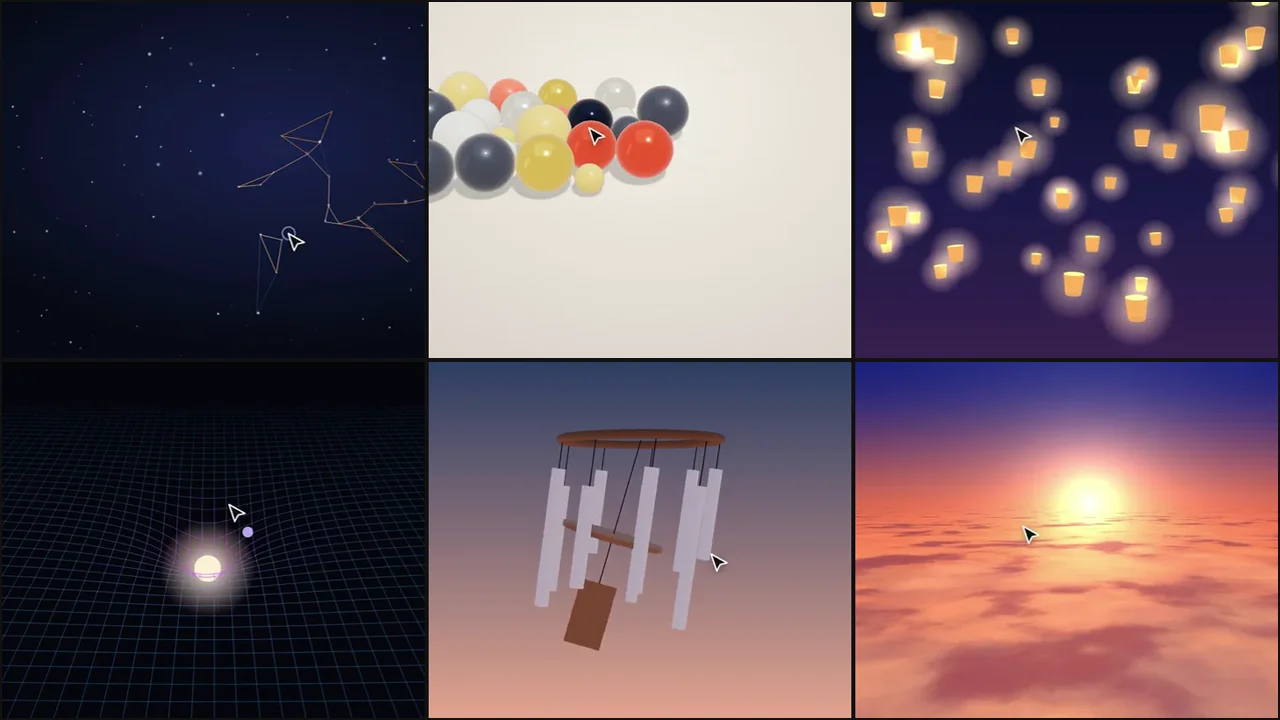
Quick answer: an AI 3D model generator turns a text prompt or an image into a 3D model. Spline AI does this inside the Spline editor, and standalone tools such as Meshy, Tripo and Luma Genie export files you can use anywhere. They make objects. To make that object react to a visitor’s cursor on a website, you still need a scene with interaction, which is what interactive 3D templates provide.
What an AI 3D model generator does
Most generators follow the same steps: you describe an object or upload a picture, the tool produces a rough mesh, then refines it with textures. The output is a file, usually GLB, ready for a 3D engine. Results are best for single, rounded objects (a mascot, a product prop, a stylised plant) and weaker for precise shapes like logos, text or mechanical parts.
Spline AI in a sentence
Spline AI puts generation inside a design tool: you can create objects and textures from prompts and keep editing them in the same scene, then publish with Spline’s states and events. If your team already designs in Spline, it is the shortest route from idea to an embedded model.
Where AI models fall short on a website
File size
Generated meshes are often dense, with large textures. A hero model of several megabytes is common unless you decimate it and compress the textures before publishing.
Interaction is still on you
A model sits still until something moves it. Cursor tilt, physics, hover states and click responses are code (or editor events). That is the part that makes a 3D hero feel alive, and it is the same work whether the model came from AI or a 3D artist.
Some looks are better as code
Many effects people want are not models at all. A swirling portal, a sea of clouds, light painting or an aurora are shaders and particles. Generating them as meshes would be heavier and would not move as well.
A practical workflow
- Decide whether you need an object or an effect. Objects: generate. Effects: start from a template.
- If you generate, export GLB, reduce the polygon count and compress textures to keep the file small.
- Load the model into a three.js scene with lighting and an environment so it looks finished.
- Add interaction: tilt toward the cursor, a spring on hover, a click response.
- Pause rendering when off screen and cap the pixel ratio for phones.
Our templates already do steps 3 to 5. Many of them, like the magnet orbs or the honeycomb field, are fully procedural, so there is no model file to download at all.
Prompt tips for AI 3D models meant for the web
- Ask for “low poly” or “stylised” shapes. They load faster and match web lighting better.
- Describe materials simply: “glossy ceramic”, “brushed metal”, “soft plastic”.
- Generate a single object, not a scene. Build the scene in code where you control the camera.
- Avoid text on the model; add real HTML text over the canvas so it stays sharp and searchable.
Which approach should you pick?
Use Spline AI if you want to stay in a visual editor. Use a standalone AI 3D model generator if you need a GLB for your own code. Use an interactive template when the goal is a hero that responds to the visitor, which is usually what a landing page needs. Compare tools in more depth in our Spline alternative guide.
Frequently asked questions
What is Spline AI?
Spline AI is the generative feature inside the Spline 3D editor. It creates objects and textures from text prompts that you can then edit and publish like any other Spline content.
What is the best AI 3D model generator?
It depends on the output. Spline AI is best if you design in Spline; tools such as Meshy, Tripo and Luma Genie are popular when you need a GLB file for your own three.js or game-engine project.
Can an AI-generated 3D model be used on a website?
Yes. Export it as GLB, reduce its size, and load it with three.js. Add lighting and cursor interaction so it feels part of the page.
Do I need an AI model for an interactive 3D hero?
Often not. Many effects such as particles, portals, clouds and grids are shaders or procedural shapes, which load faster than a model.
Is Scrollhaus connected to Spline?
No. Scrollhaus is independent and its 3D templates are original three.js code.
Explore animated website templates at Scrollhaus →
Need help with a template, account, or project? Email admin@scrollhaus.ai.