UI Components · 2026-10-17 · 5 min read
React and Tailwind UI Components: How 21st-Style Copy-Paste Libraries Work
The way front-end teams use UI libraries has changed. Instead of installing one big package, they copy individual components into their own code, the model made popular by shadcn/ui and community sites like 21st (often typed as 21 dev). Here is how that works, and how to pick components that will not break your build.
Written by Amanjot Singh, founder of Scrollhaus, and edited by the Scrollhaus editorial team. Sources and methodology are documented in the article.
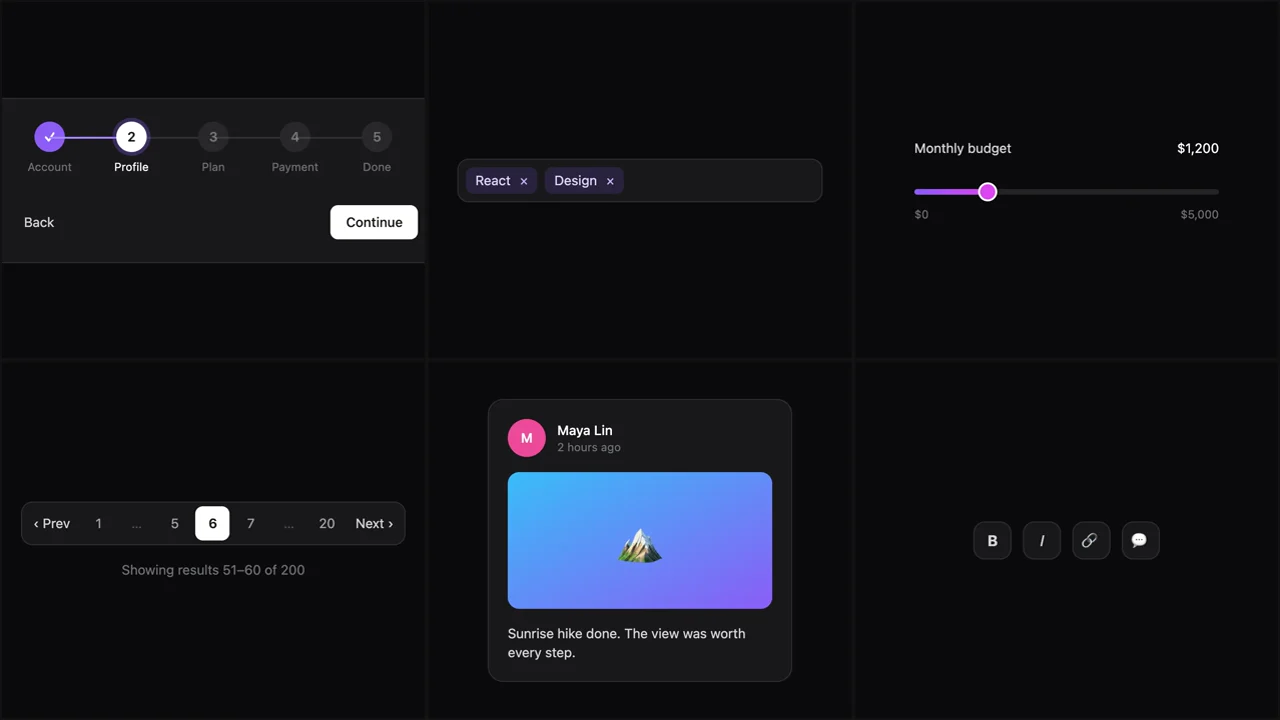
Quick answer: a copy-paste UI component is a single React file, styled with Tailwind CSS, that you add to your project’s source instead of installing as a package. You own the code, so you can change anything. The best ones have no extra dependencies and come with a live preview. Browse 49 original React and Tailwind components on Scrollhaus.
Packages vs copy-paste components
A traditional component library ships as a package: you install it, import its components and theme it through its API. That is convenient until you need something the API does not allow. Copy-paste libraries flip this. The component becomes your code on day one, so a design change is just an edit.
The trade-off is updates. A pasted component does not upgrade itself, so it pays to start from code that is clean, short and easy to read.
What makes a component safe to paste
Few or no imports
Every import is a dependency you now maintain. Our components import only React. Animations are CSS keyframes inside a <style> tag in the component, so nothing needs adding to your Tailwind config.
Typed props with sensible defaults
A component should render with no props at all, then accept your content. The stats card takes a label, value and trend; the stepper takes a list of steps; the pagination takes a page count and an onChange callback.
Keyboard and screen-reader support
Check that interactive pieces work without a mouse. The tag input adds tags with Enter and removes them with Backspace, the range slider uses native range inputs, and the smart tooltip opens on focus as well as hover.
A preview that runs the same code
If a demo runs different code from what you copy, bugs hide in the gap. Each Scrollhaus preview compiles the exact file you get.
Components most landing pages need
- Buttons: shimmer, magnetic, copy and hold to confirm.
- Cards: spotlight, tilt, flip and product.
- Text: word rotator, scramble, highlight marker and scroll reveal.
- Inputs: OTP, password strength, file dropzone and combobox search.
- Feedback: toast stack, progress ring, skeleton loader and checklist.
- Sections: pricing toggle, bento grid, accordion and before/after slider.
Adding a component to a Next.js or Vite project
- Make sure Tailwind CSS is set up (any v3 or v4 project works).
- Create a file such as
components/ui/progress-ring.tsxand paste the code. - Import the named export where you need it:
import { ProgressRing } from '@/components/ui/progress-ring'. - In Next.js App Router, keep
'use client'at the top for interactive components.
Using components with AI builders
AI coding tools are good at wiring a component into a page and weak at guessing missing dependencies. Paste one self-contained file, name the component in your prompt, and ask the tool not to rewrite it. For a broader look at the libraries in this space, including 21st.dev, read our 21st.dev alternative guide.
Frequently asked questions
What are copy-paste React components?
Single React files you add to your own source code instead of installing a package. You own the code and can change anything.
Do I need Tailwind CSS to use these components?
Yes. They are styled with Tailwind utility classes and work with Tailwind v3 and v4.
What is 21st or 21 dev?
Both are common ways of typing 21st.dev, a community registry of React components. Scrollhaus is a separate, independent library of original components.
Are the components free?
Six are free to copy, including the shimmer button, spotlight card and testimonial marquee. A Scrollhaus plan unlocks the rest. Anyone can try every component live.
Will these components work in Next.js?
Yes. Paste them into any React project with Tailwind; in the Next.js App Router keep the use client directive for interactive components.
Explore animated website templates at Scrollhaus →
Need help with a template, account, or project? Email admin@scrollhaus.ai.